
Buyers save a clear, validated build. CPQ instantly generates an accurate quote. Sales & Dealers receive the complete build configuration, quote, and buyer notes. Production gets automated specs and prepared outputs without a manual rebuild.
How we did it
Case study
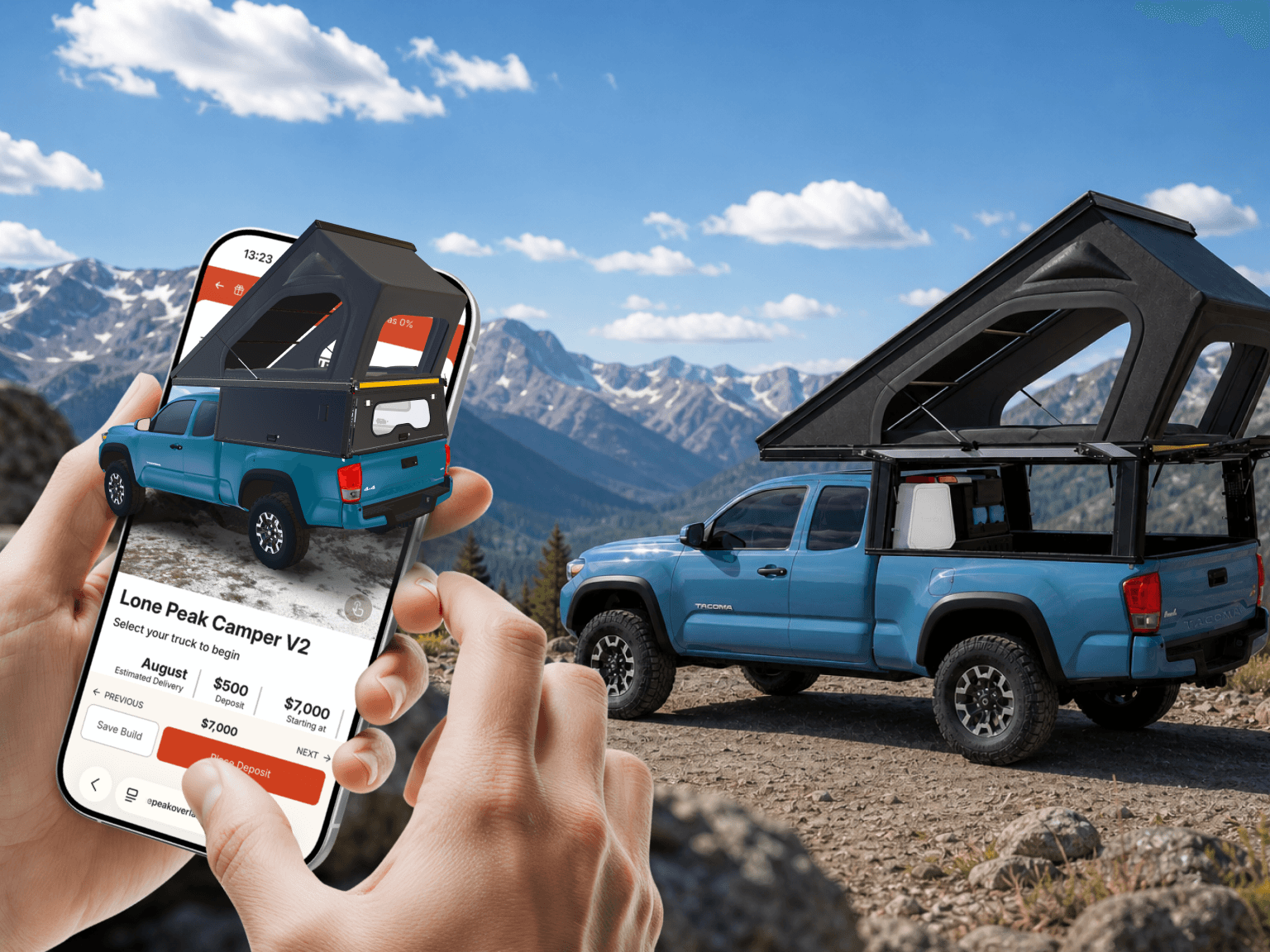
The problem we solve
RV sales shouldn’t experience friction or data loss between the website, dealer conversations, quoting, and final production
Before
After
Buyer experience
Sales & dealers
Quote speed
Build accuracy
Production handoff
Overcoming Funnel Friction
More traffic is not enough — sales needs buyer context
Confused buyers leave
They need to see the right build, understand the price path, and know what to do next.
Empty leads slow sales
A contact form starts another discovery call. A saved build gives sales the context to continue.
Crucial friction points for buyers
Unclear options
At the product page level
No saved build
During configuration
Repeated questions
After the initial inquiry
Manual quote rebuild
During quote preparation
Missing dealer context
At dealer handoff
Production clarification
Before manufacturing begins
See where buyer context gets lost before the quote
We’ll review how buyers move from your website to sales, dealers, quote preparation, and order handoff — and identify where a configurator, saved build, dealer flow, or CPQ logic could create the most leverage.
What we’ll look at:
Buyer option selection
Lead context sent to sales or dealers
Quote preparation steps
Manual rebuilds
Сhecks
Repeated questions
How it works
The configurator smoothly guides the buyer from initial product interest to a quote-ready build
Customers see simplified bundles, production sees full BOM. No vendor dependency
Buyer chooses a build
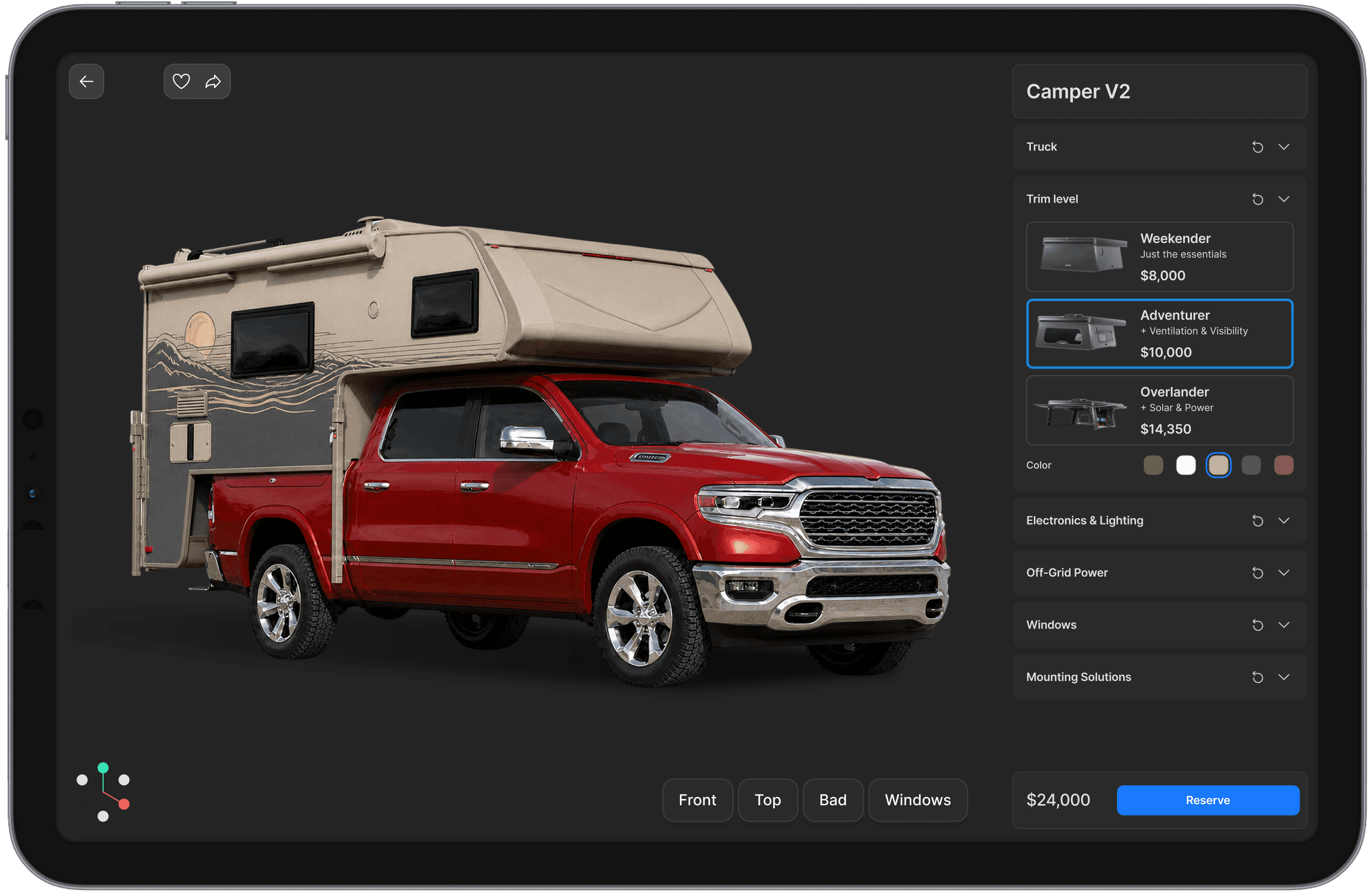
Models, packages, options, fit, payload, lead time, and price are visible during configuration.
Buyer saves the build
The saved build carries model, package, options, truck details, notes, and next step.
Rules check the build
Fitment, compatibility, required packages, exclusions, dealer-installed items, and review-needed choices are checked before quote.
CPQ generates the quote
Pricing logic turns the saved build into an instant quote, dealer-specific quote, or quote for sales review.
Sales and dealers get context
Sales, dealers, showrooms, or installers receive the build, quote, notes, review-needed items, and next step.
Production gets prepared outputs
Approved builds become specs, quote summaries, build sheets, production BOM / parts summaries, exports, etc.
Building buyer confidence
Buyers can configure and select the right camper build with total peace of mind
The configurator demonstrates exactly how every single model, package, and option selection alters the vehicle's fit, payload, comfort, autonomy, lead time, and final price.
Visualize the true build
Buyers see the model, layout, materials, colors, packages, and visible options they are considering.
Start from a proven foundation
Buyers start from a proven setup, then adjust the build to their needs and budget.
Understand option impact
Fit, weight, comfort, lead time, and price are clear before sales gets involved.
Reach sales prepared
The first conversation starts from a build, not general interest.
High-realism visuals — built for the browser
We engineer browser-based configurators featuring high-realism visuals for products that buyers need to see and trust before speaking to sales. Our goal is to provide a stunning, convincing view of the build while keeping the tool lightning-fast on the standard web
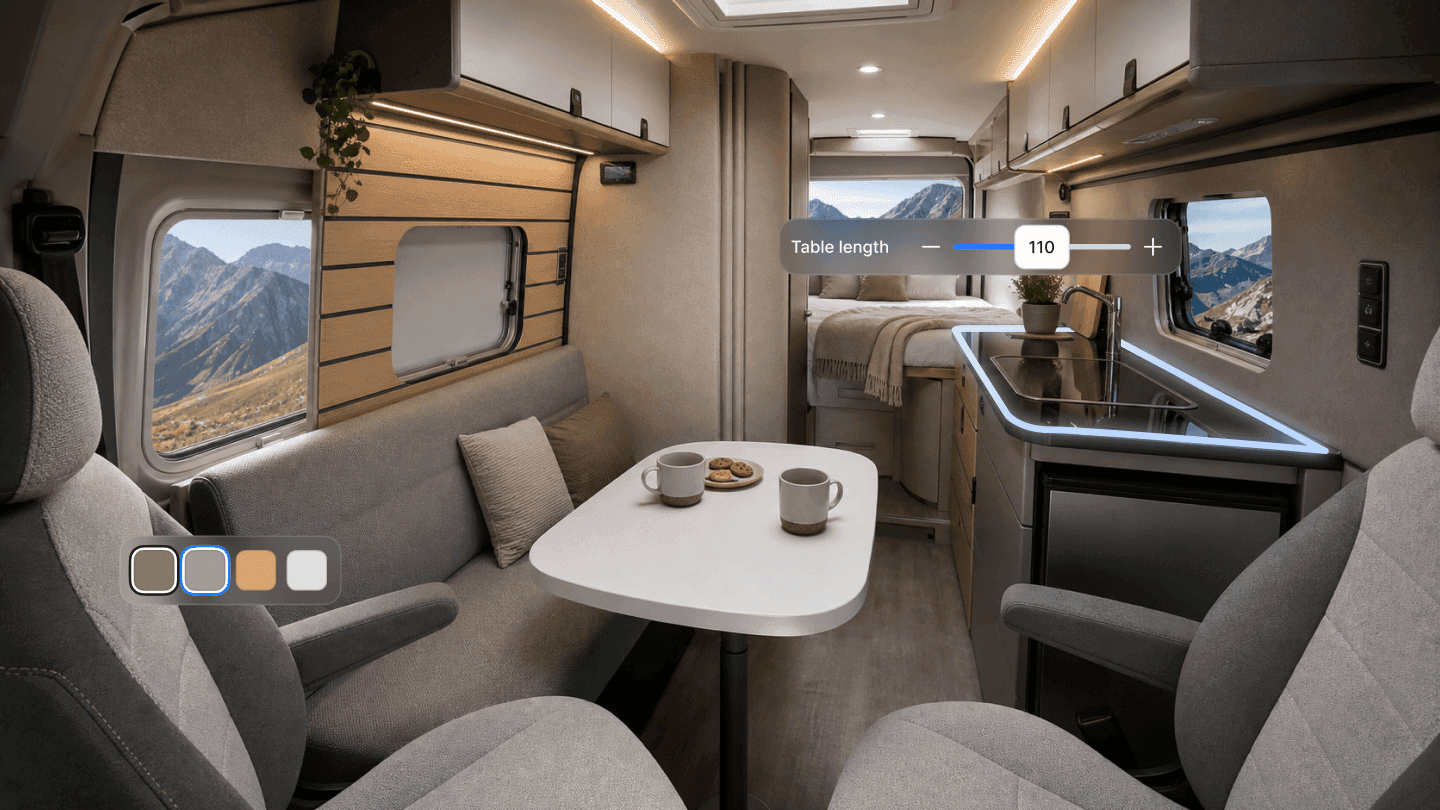
True-to-life materials
Paint, fabric, metal, glass, plastics, trim, and finishes should react to light like the real product.
Advanced lighting & shadows
The scene should show depth, shape, surface quality, and proportions — not just a model on a flat background.
Custom shaders
For materials or effects that standard setup cannot show well, we create custom rendering logic.
Lightweight architecture
The visual target sits above a simple WebGL viewer, without requiring pixel streaming for every project.
Meeting buyer readiness
Every customer is presented with the ideal next step based on where they stand in their purchasing journey
Not everyone is ready to buy today; the configurator keeps intent moving forward at their own pace.
Save build
For buyers who want to keep the configuration and return later.
Generate estimate / quote
For buyers who need price clarity before the next conversation.
Talk to sales
For buyers who want help before committing.
Send to dealer
For dealer-led sales where the next conversation happens outside the website.
Place deposit
For buyers ready to reserve a spot or confirm intent.
Buy through cart
For builds that can be purchased online without sales review or manual fitment checks.
Saved builds & operational handoff
Sales teams and dealers can skip the generic discovery phase and pick up right where the buyer left off
A saved build gives the customer a permanent reference point to modify, share, or send directly to a dealer.
Sales and dealers continue from what the buyer already chose instead of starting a blank discovery call.
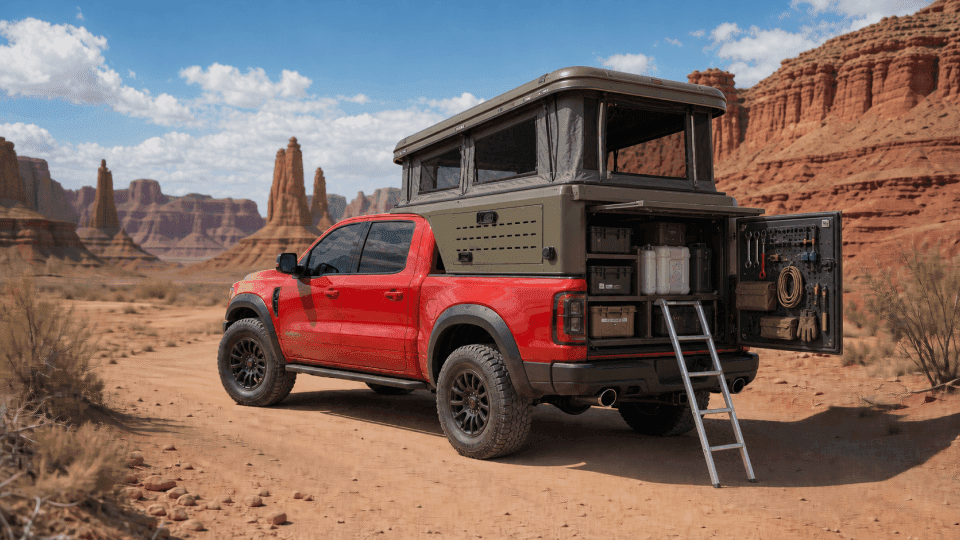
Build #1234
Model selection
Truck / vehicle technical specifications
Bed size and fitment compatibility
Payload calculations and review flags
Layouts, packages, and chosen options
Material and color selections
Dealer-installed vs. factory-installed components
Buyer notes and specific open questions
Preferred dealer, showroom, installer, or location
Shareable links, email summaries, or PDFs
Unifying your product logic
Ensure product updates remain perfectly uniform across your website, sales teams, dealer network, and production floor
The platform serves as your central, managed source of truth for models, packages, options, pricing, availability, SKUs, dependencies, and business rules—so updates flow seamlessly to every destination without requiring manual adjustments in multiple systems.
Product Admin panel
Regional Differences
Models
Accessories
Options
SKUs
Dealer Visibility
Required Options
Packages
Availability
Compatibility
Descriptions
Layouts
Visuals
Review Flags
Pricing
Variants
Site
Quotes
Dealers
Production
Quote-ready builds & downstream execution
Every single configuration is immediately ready to be priced, reviewed, and pushed downstream
Buyers interact only with valid choices, CPQ handles the math, sales reviews the request with full context, and operations receives clean data.

Buyer can choose it
Layouts, compatible options, required packages, and review-needed items are shown during configuration.
CPQ can price it
Pricing rules generate a quote, estimate, range, dealer-specific quote, or sales-review version from the saved build.
Sales can review it
Sales and dealers start from the generated quote, buyer notes, and review-needed items — not a blank request.
Operations can use it
Approved builds become specs, build sheets, production BOM / parts summaries, exports, or other production-ready outputs.
Supported Output Examples
Customer PDF
Quote summary
CRM record
CSV export
JSON payload
Internal build sheet
BOM-like summary
Production spec
API handoff
Fit check
A good fit when configuration affects sales, quotes, and handoff
You sell configurable products
Buyers choose models, packages, layouts, accessories, fitment, or install options.
Sales needs build context
A useful lead includes vehicle details, selected options, questions, and next step.
Quotes depend on rules
Pricing depends on packages, dealer pricing, fitment, approvals, availability, or review.
Approved builds move downstream
Sales data becomes specs, summaries, exports, order data, or production outputs.
Product data changes in several places
Options, prices, rules, visuals, SKUs, availability, and dealer materials need to stay consistent.








Modular solution layers
Select the precise capabilities your business requires today, with the flexibility to scale as you grow
Each layer can be tailored to your products, sales process, dealer model, pricing rules, and existing systems. These are not fixed packages — they show where you can start and how the system can grow.
Layer 1
Start Simple
Buyer Product Configurator
For teams that need buyers to understand the product, save a build, get a price or quote path, and send a stronger inquiry.
Visual product configurator
Preconfigured builds
Guided option selection
Basic product rules
Shareable saved build Link
Build summary by email
Instant price / email-gated quote
Quote or sales next step
Optional deposit or cart flow
Build data to CRM
GA4 / analytics integration
Enhanced Visualization (Optional)
Layer 2
Recommended
Visual CPQ & Dealer Flow
For teams that need generated quotes, sales review, dealer handoff, and shared build context.
Everything In Layer 1
Included
Advanced product rules
Build validation rules
Advanced pricing logic
CPQ generated quote
Dealer specific pricing
Quote review before sending
Dealer handoff
Sales and dealer build view
Enhanced Visualization (Optional)
Layer 3
For Scale
Connected Product & Operations
For teams that need product data, system handoffs, and production outputs connected to the same approved build.
Everything In Layer 2
Included
Product data source of truth
Data flow to existing systems
Product admin
Build to product codes
Production specs
BOM or parts summary
Localisation support
Enhanced Visualization (Optional)
Built for true client ownership
Your team can confidently own, manage, and extend the configurator platform long after launch
We ensure your software doesn't become a vendor-locked black box by providing complete access to code, product data, 3D assets, rules, and integration logic.
IP and code ownership
Repositories, source code, configuration engines, and project assets remain entirely under your designated ownership model.
Data autonomy
Your models, options, pricing structures, rules, SKUs, and build histories are fully documented and entirely under your control.
Simple maintenance
Internal teams can easily update packages, adjust pricing, refresh content, swap visuals, and modify rules post-launch.
Comprehensive handover
The architecture is thoroughly documented so any qualified engineering team can easily understand, support, and extend the platform.
Start with the flow
Let’s discuss where better configuration can improve your sales process
We’ll look at how buyers choose today, what your sales team and dealers receive, how quotes are prepared, and where build data is rebuilt by hand.
Estimate the value of better configuration
Use the calculator to estimate how saved builds, faster quotes, fewer repeated questions, and cleaner handoff could affect your sales process.
Disclaimer
Estimates are indicative and depend on your inputs, processes, and market conditions. Actual results may vary. Contact us for a tailored ROI model.