Visualizing Layered Assemblies: Helping Digital Buyers Interactively Configure Hidden Internal Components Without Confusion

When purchasing custom industrial enclosures, specialized machinery assemblies, or multi-tiered electronic server racks, B2B buyers face a massive challenge: they cannot see through solid steel walls.
Configuring external dimensions, paint finishes, and basic outer hardware is simple enough on a standard website. But a custom industrial product is only as good as what is inside. Buyers often need to arrange complex inner components — such as routing heavy power distribution cables, placing specific fluid valves, or mounting precision circuit blocks — that sit entirely hidden within an outer chassis.
Attempting to configure these hidden layers using old-school, flat 2D blueprint schematics or static dropdown menus frequently causes mass confusion. If a user cannot visually verify where an internal component sits in 3D space, they are highly likely to make placement errors, specify overlapping parts, or miscalculate necessary clearances.
Solving this visual roadblock requires layered 3D interaction. By building advanced, high-fidelity x-ray views, explosive component animations, and transparent outer shell options directly into your custom web application, you allow digital buyers to step inside the product and configure deep internal structures with absolute clarity and zero confusion.
The commercial bottleneck of blind component placement
Forcing buyers to make choices about hidden, highly technical internal parts without clear visual tools introduces significant operational friction into your front-end e-commerce pipeline:
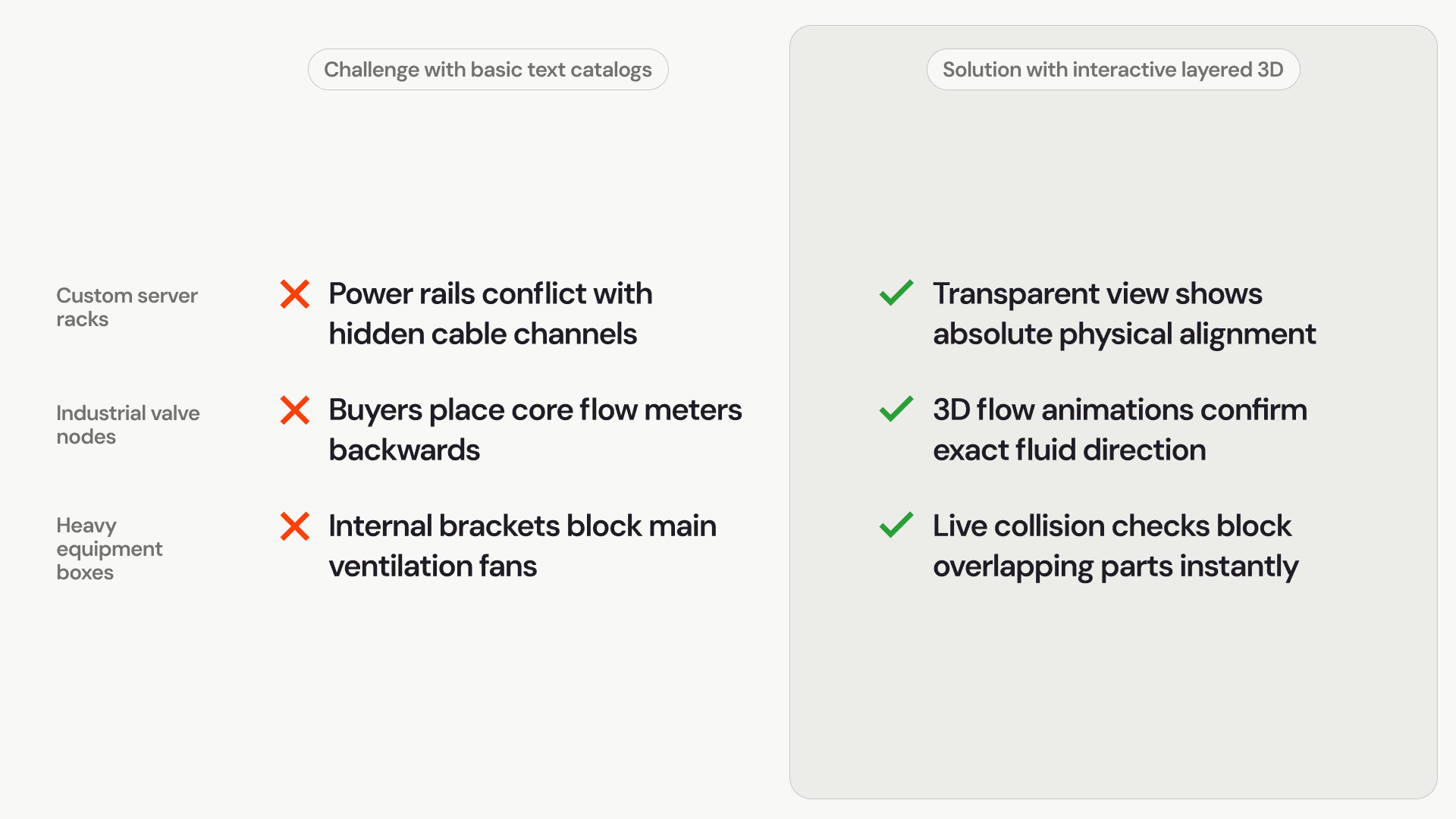
The spatial overlap risk: Without clear depth perception and 3D spatial feedback, a buyer might easily place an internal wiring block right on top of a transformer housing module. The system records the text option, but the physical components collide during factory assembly.
Extended technical sales support: When buyers feel lost in an invisible maze of interior layout choices, they abandon the online self-service tool entirely. They default to calling your applications engineering team, clogging your sales lines with basic technical layout questions.
The delivery postponement cycle: If an internal layout error slips past initial reviews and hits the manufacturing floor, everything stops. Work orders must be frozen, engineering files rewritten, and delivery dates pushed back while your team scrambles to fix a component clearance issue.
Comparison: Static interface layouts vs. layered 3D visual environments
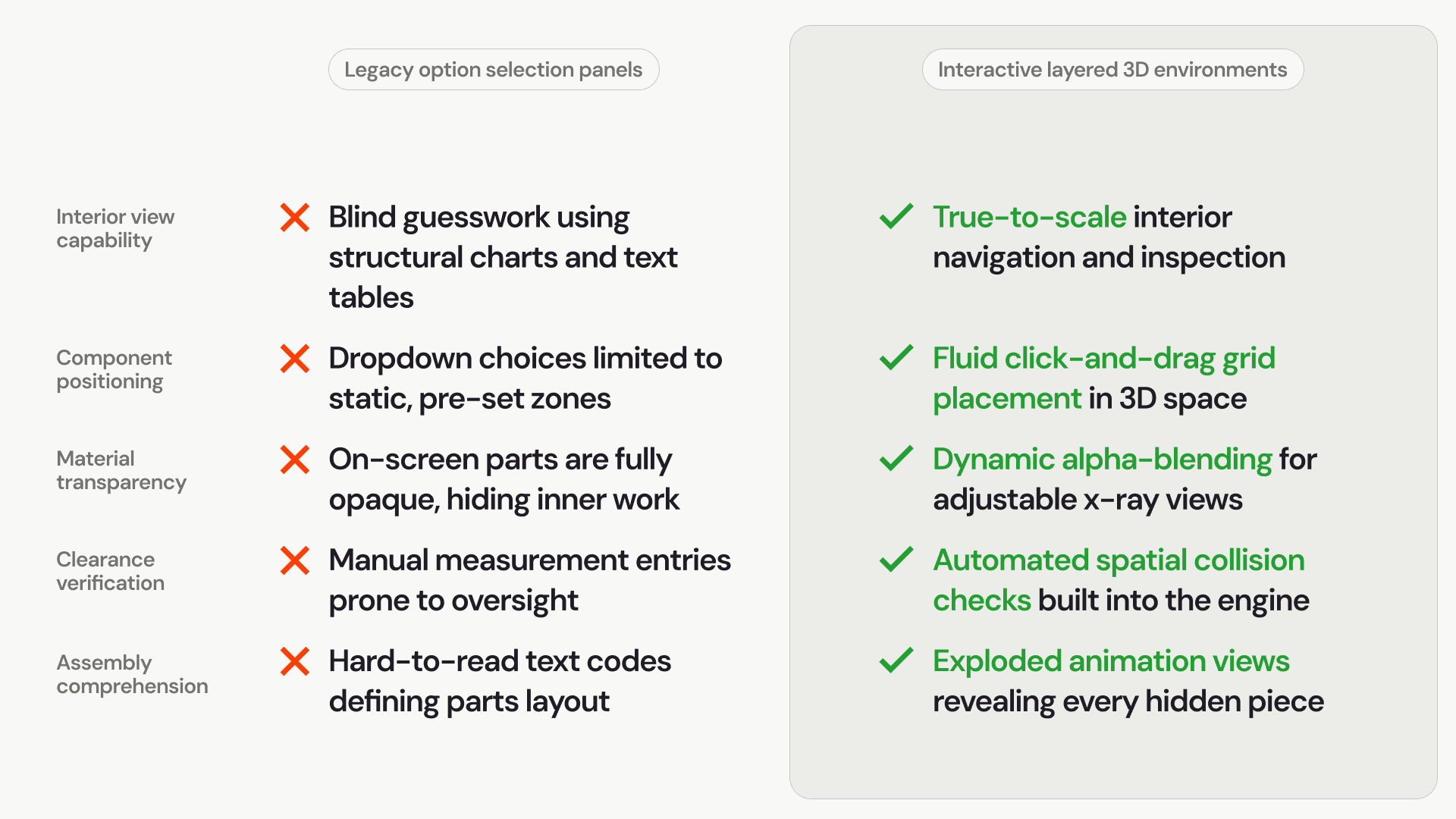
Upgrading your online store from basic flat options to a multi-tiered, interactive 3D configuration environment completely redefines how users navigate complex interior designs:
Three ways to make complex internal components perfectly clear
Guiding a non-technical purchasing agent or industrial buyer through a highly complex internal layout relies on giving them intuitive, real-time control over the visual layers of the model.
1. Adaptive x-ray mode and dynamic alpha transparency
Instead of forcing users to continually toggle an entire outer frame fully on or off, top-tier custom software applications implement an adjustable transparency slider. By utilizing modern web graphics filters, the application layer can instantly soften hard outer steel panels into smooth, semi-transparent glass surfaces. This allows the customer to see exactly how an internal fluid system or structural rack aligns with external access ports, matching real-world positions perfectly.
2. Exploded view animations for complex product staging
When an assembly contains multiple nested sub-components packed tightly together, an exploded view button is incredibly valuable. With a single click, the 3D engine smoothly triggers a coordinated animation, expanding the outer components outward along their geometric axes. This instantly reveals the hidden inner core, allowing a user to click, select, edit, or swap individual internal parts that would normally be impossible to reach on a standard model.
3. Automatic coordinate snapping and collision blocks
To ensure the customer's design is completely buildable, the configuration software embeds spatial rules directly into the 3D canvas. When a user drags a precision control switch or internal sub-assembly into the unit, the software restricts the part to a pre-defined mounting grid. If the component passes into a restricted zone or hits another item's safety envelope, the engine flashes a clear warning and snaps the part back to a valid location, preventing ordering errors automatically.
Transforming ordering accuracy across your catalog
The visual delivery model you choose directly affects how many errors slip out of your sales channels and land on your production lines:
Unlocking frictionless self-service B2B sales
Leaving your buyers to guess the layout of hidden interior components adds heavy manual review burdens to your technical staff and slows down your overall commerce pipeline.
Upgrading your website with high-fidelity, layered 3D configuration tools completely simplifies the layout process for complex products. By giving your customers the ability to peer past outer walls, expand assemblies cleanly on screen, and arrange inner parts within safe engineering limits, you build unmatched buying confidence, eliminate costly order errors, and unlock an automated, highly efficient sales operation.