Mobile-First Manufacturing Sales: Ensuring Visually Dense 3D Configurators Run Flawlessly on Field Tablets and Smartphones

Modern B2B purchasing doesn't just happen at a desktop computer in a quiet office. Sales representatives present custom machinery directly on dusty factory floors using cellular tablets. Field technicians configure modular building attachments out on job sites with their smartphones. Procurement agents finalize custom enclosure dimensions while traveling between facility meetings.
If your high-fidelity 3D product builder only runs well on a high-powered office desktop, your digital commerce strategy is missing half the market.
Transitioning to a mobile-first 3D configuration pipeline means your complex product catalog follows your sales channels wherever they go. However, running visually dense, asset-heavy 3D configurations on small screens introduces severe hardware limitations. Mobile devices use constrained processors, rely on fluctuating cellular networks, and lack dedicated desktop graphics cards.
Ensuring flawless mobile performance requires implementing specialized mobile-responsive 3D architectures, such as aggressive asset downscaling, touch-optimized viewport layers, and responsive touch-gesture throttling.
The hidden performance traps of desktop-only web graphics on mobile
When you attempt to load a complex, unoptimized 3D engineering tool directly onto a field tablet or smartphone browser, three distinct hardware barriers degrade the user experience:
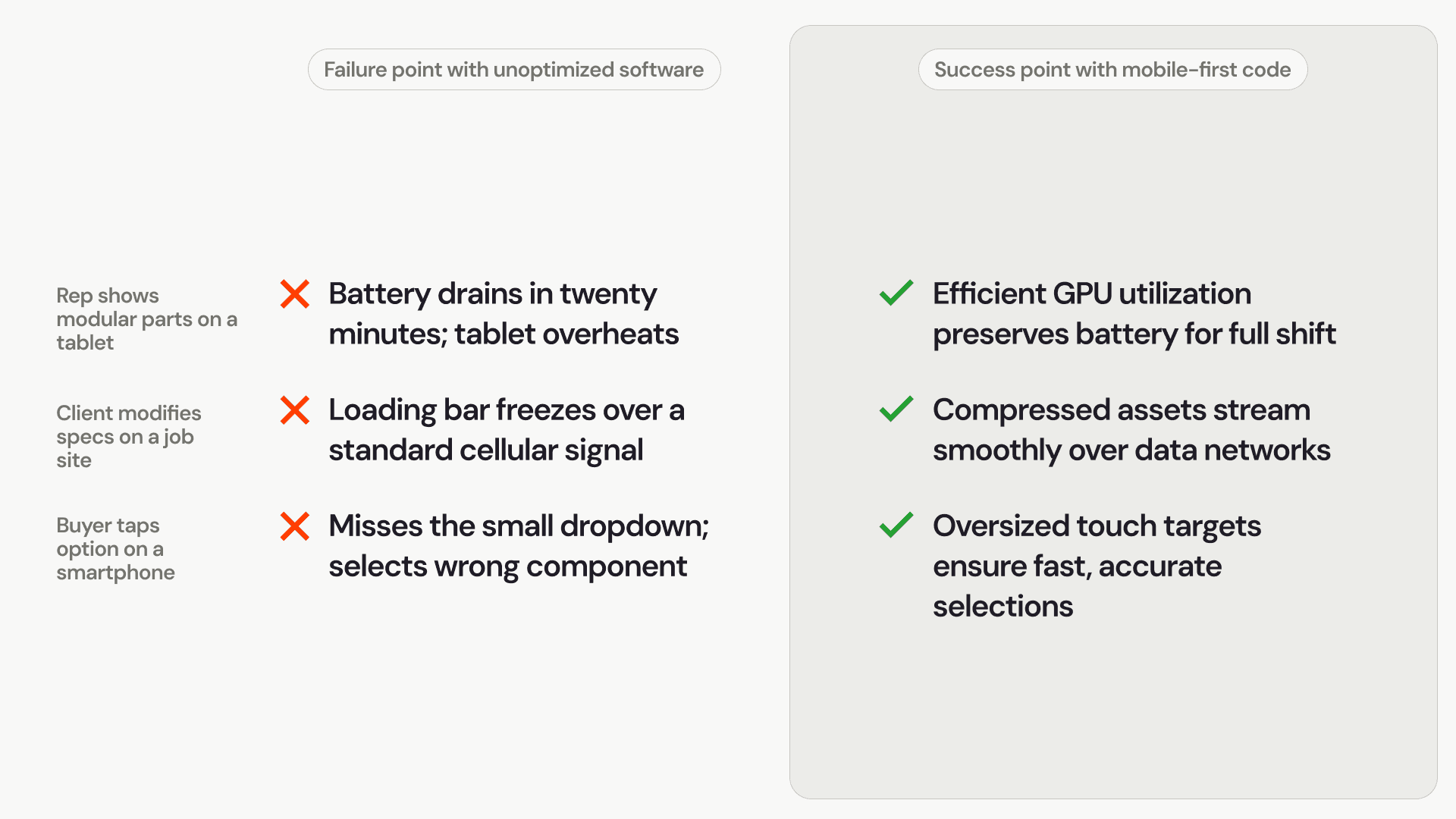
The thermal throttling slowdown: Mobile processors are built to conserve energy and manage heat without cooling fans. Forcing a smartphone to compute millions of 3D polygon triangles causes the device to heat up rapidly, triggering an automatic safety slowdown that drops the user interface down to a laggy, unusable frame rate.
Cellular network data choking: In the field, users frequently connect via unstable or slow mobile networks. If your configurator relies on downloading massive, uncompressed CAD assets, the page loading animation will freeze indefinitely, causing frustration and lost sales opportunities.
The touch interaction barrier: Interfaces built exclusively for precise desktop mouse clicks are incredibly clumsy on smaller touchscreens. Without properly adapted inputs, users struggle with inaccurate taps, erratic rotations, and accidental selections that disrupt the entire configuration flow.
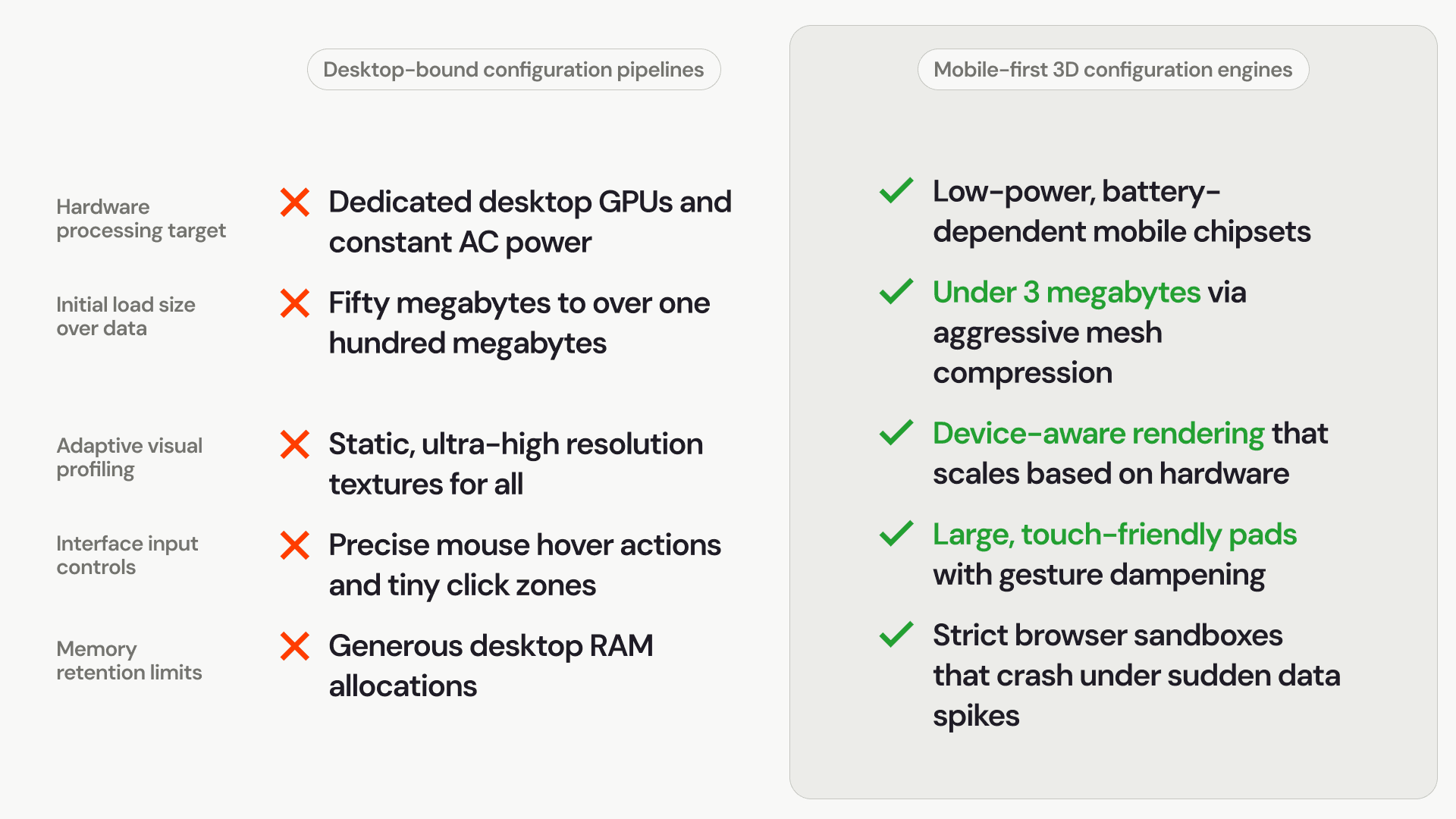
Comparison: Desktop-bound rendering vs. mobile-optimized 3D engines
Adapting your product catalog for field sales require transforming your heavy web assets into an agile, context-aware visual application:
Essential engineering strategies for flawless mobile 3D sales
Unlocking a smooth mobile interaction model depends on tailoring how your web software uses memory, network data, and touch-screen inputs.
1. Device-aware texture and resolution downscaling
A mobile screen packs an incredible number of pixels into a small area, meaning a user cannot easily spot the difference between an ultra-dense texture image and a moderately optimized one. A mobile-first configurator detects the client device type instantly at startup. If it detects a smartphone or field tablet, it automatically serves optimized 1K material textures instead of heavy desktop 4K texture maps, reducing the graphics card workload by seventy-five percent while keeping the image crisp on small screens.
2. Implementing Drace geometric mesh compression
To ensure your product configurations load over weak cellular signals, your software must compress the underlying 3D files. Using open-source compression libraries like Google Draco, developers compress dense polygon coordinates into tightly packed, lightweight binary files. The mobile browser downloads these tiny files in milliseconds and decompresses them directly inside the graphics memory, cutting out long network waiting times completely.
3. Touch gesture throttling and input dampening
Standard touch tracking can easily flood a mobile device with hundreds of coordinate updates per second, overwhelming the mobile processor during fast movements. Mobile-first engines apply a technical buffer called input throttling. This process cleans and stabilizes touch data, creating smooth, predictable, and responsive model rotation and zoom gestures that feel natural to your field agents and customers.
Elevating the mobile configuration experience across roles
Optimizing your web interface for touch devices ensures your digital catalog remains useful and reliable across every real-world sales scenario:
Empowering your sales network anywhere, anytime
Forcing your field reps and mobile buyers to rely on heavy, desktop-only configuration tools limits your market footprint and slows down order closures. If your digital catalog cannot perform under real-world field conditions, your buyers will wait until they are back at a desk—or choose a competitor who accommodates their mobile workflow.
Upgrading to a mobile-first 3D configuration engine bridges the gap between field utility and high-fidelity product selection. By adjusting your graphics profile on the fly, compressing your files for cellular networks, and building touch-native interfaces, you give your sales teams a fast, stable tool that drives orders right from the palm of their hand.