Low-Risk Automation: A Step-by-Step Guide to Implementing Visual CPQ Software Without Disrupting Daily Production

For many manufacturers, CPQ implementation is often associated with operational risk. Concerns about production interruptions, sales downtime, data migration issues, and employee adaptation frequently delay digital transformation initiatives, especially in companies managing complex configurable products.
In reality, modern visual CPQ software can be implemented incrementally and with minimal disruption when supported by the right rollout strategy.
Successful implementation is rarely about replacing existing processes overnight. The most effective CPQ projects focus on controlled integration, phased adoption, and gradual operational scaling.
Why manufacturers delay CPQ implementation
Manufacturing companies often operate within tightly coordinated production and sales environments where even minor disruptions can create downstream operational issues.
Common concerns include:
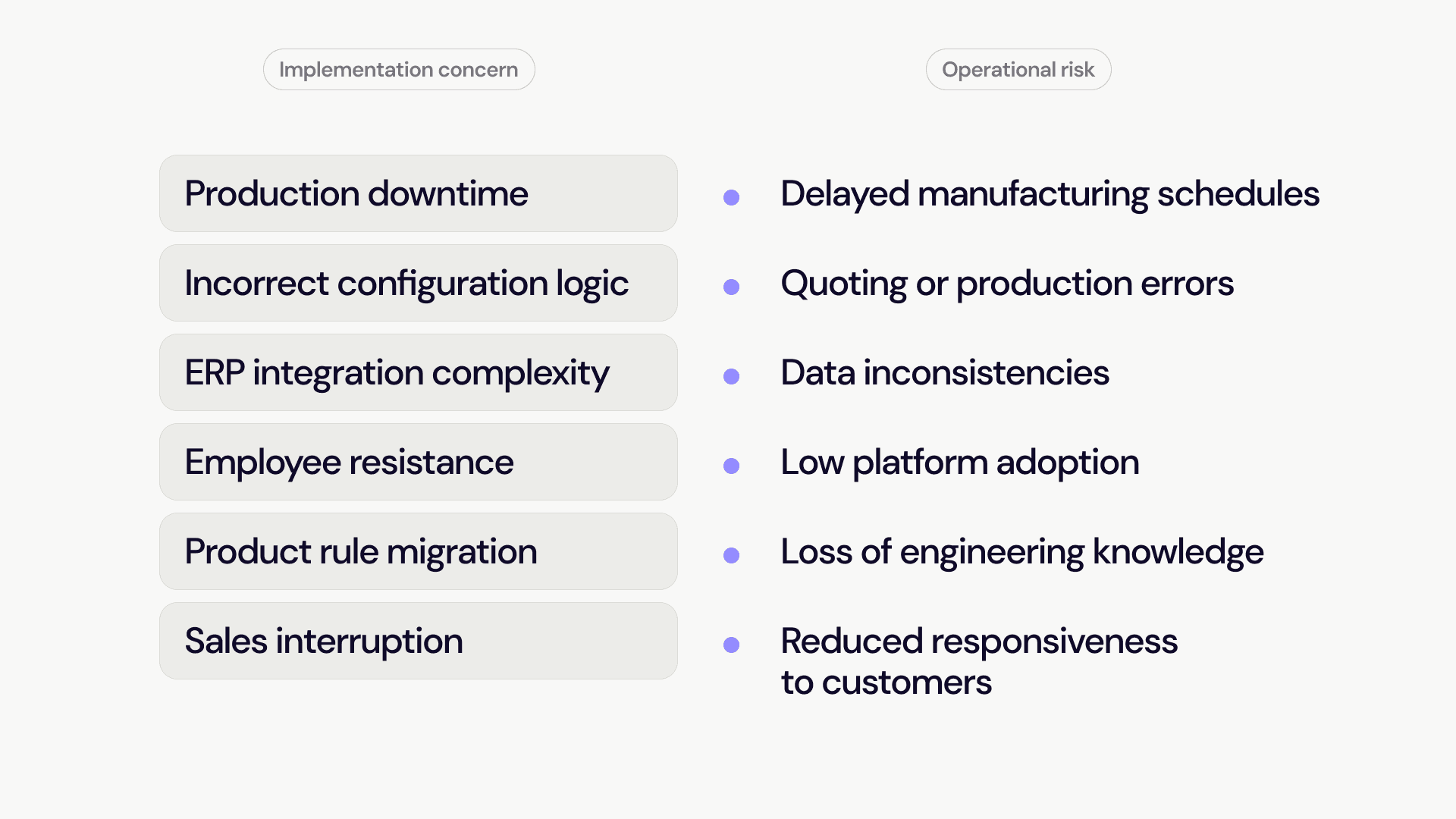
These concerns are valid, particularly for organizations managing large product catalogs, complex engineering dependencies, or customized manufacturing workflows.
However, modern visual CPQ platforms are increasingly designed to support gradual implementation rather than full operational replacement.
Step 1: Start with a single product line
One of the most effective ways to reduce implementation risk is limiting the initial rollout scope. Instead of attempting to digitize the entire product portfolio simultaneously, manufacturers often begin with:
a single configurable product
one business unit
a limited regional market
a high-volume sales category
a product line with repetitive quoting processes
This approach allows teams to validate configuration logic, internal workflows, and user adoption within a controlled environment. Smaller deployments also simplify testing and reduce operational pressure during early implementation phases.
Step 2: Digitize existing product logic before expanding It
A common implementation mistake involves redesigning all product logic during the initial CPQ rollout. Successful projects typically begin by replicating existing engineering and sales processes digitally before introducing optimization layers.
This includes:
existing compatibility rules
dimensional constraints
approval workflows
pricing logic
manufacturing limitations
standard sales procedures
Stabilizing current operational logic first creates a reliable foundation for future automation and process improvements. Organizations that attempt simultaneous system transformation and process redesign often increase implementation complexity unnecessarily.
Step 3: Integrate CPQ gradually into existing infrastructure
Modern visual CPQ systems are designed to integrate with ERP, CRM, CAD, and manufacturing environments without requiring immediate replacement of existing software infrastructure.
Incremental integration strategies often include:
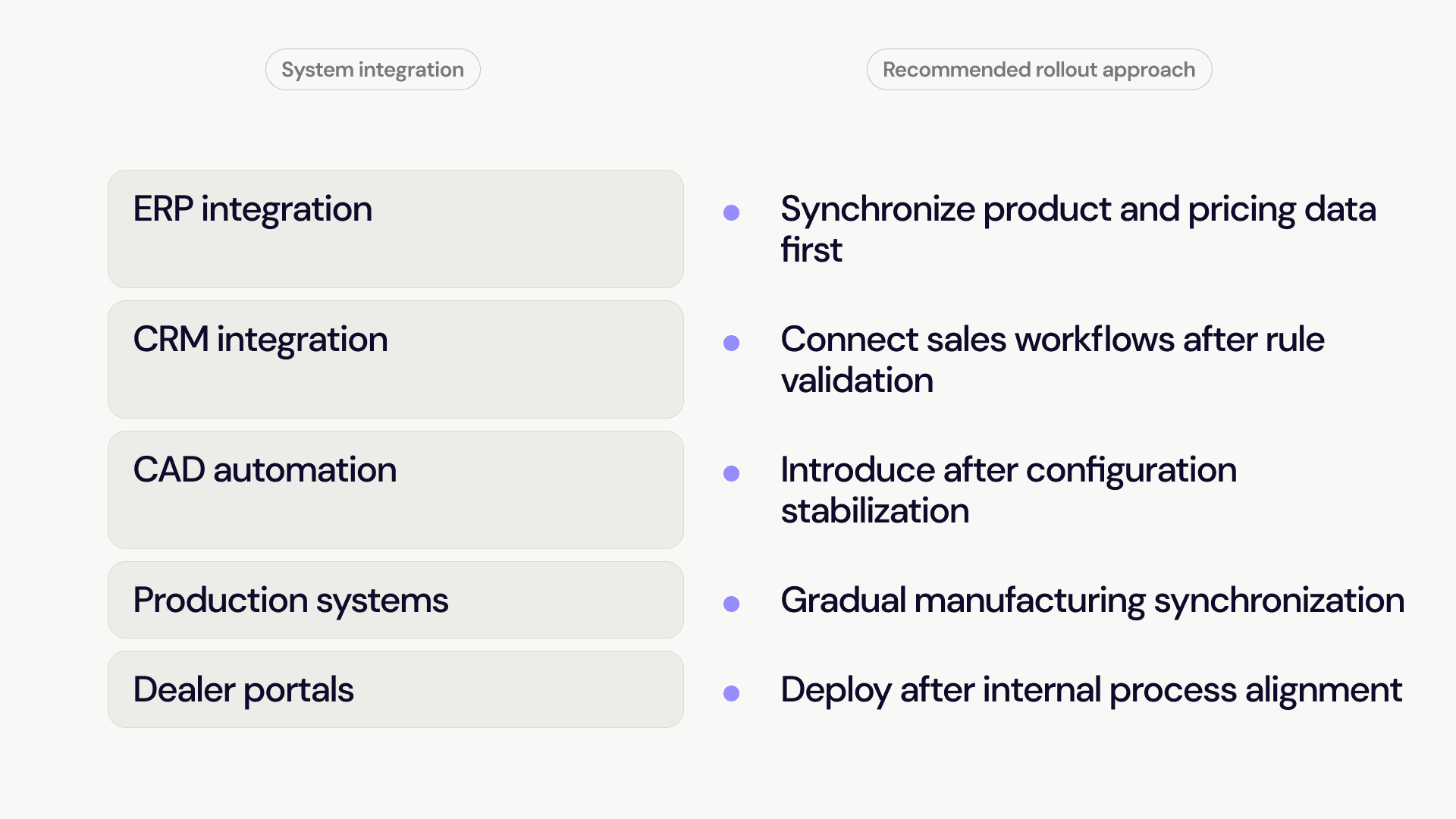
Phased integration minimizes operational instability while allowing departments to adapt progressively to new workflows.
Step 4: Prioritize rule accuracy over visual complexity
During early implementation phases, configuration reliability is more important than advanced visualization features. A stable rule engine with accurate engineering logic delivers greater operational value than a visually advanced configurator with inconsistent product validation.
Early implementation priorities should focus on:
rule consistency
configuration validation
quoting accuracy
manufacturing feasibility
pricing reliability
approval control
Once operational stability is established, companies can expand visualization capabilities, interactive product experiences, and customer-facing functionality.
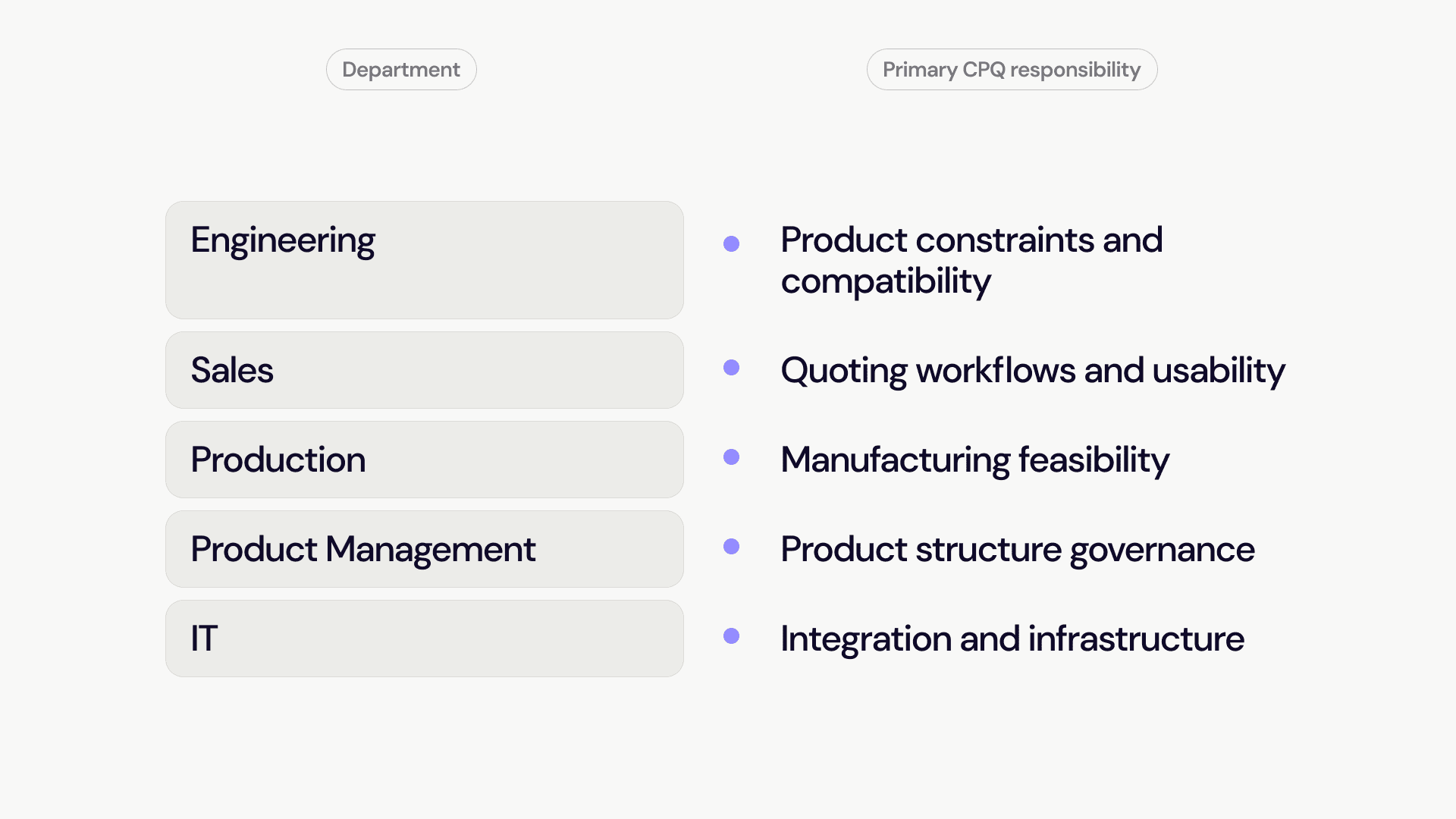
Step 5: Involve engineering, sales, and production teams early
CPQ implementation affects multiple operational departments simultaneously. Isolated deployment strategies frequently create adoption resistance and process fragmentation. Cross-department collaboration improves implementation quality by aligning:
engineering requirements
sales workflows
manufacturing limitations
pricing structures
approval processes
product management priorities
Organizations that involve operational teams early typically achieve faster adoption and fewer configuration inconsistencies after deployment.
Step 6: Use analytics to optimize after deployment
Initial CPQ deployment should be viewed as the beginning of optimization rather than the final implementation stage. Modern visual CPQ platforms generate valuable operational insights, including:
frequently selected configurations
failed product combinations
quoting bottlenecks
approval delays
pricing inconsistencies
customer configuration behavior
These analytics help manufacturers refine product structures, improve rule efficiency, and identify opportunities for process automation over time.
Continuous optimization creates significantly greater long-term value than static implementation models.
The strategic value of low-risk CPQ implementation
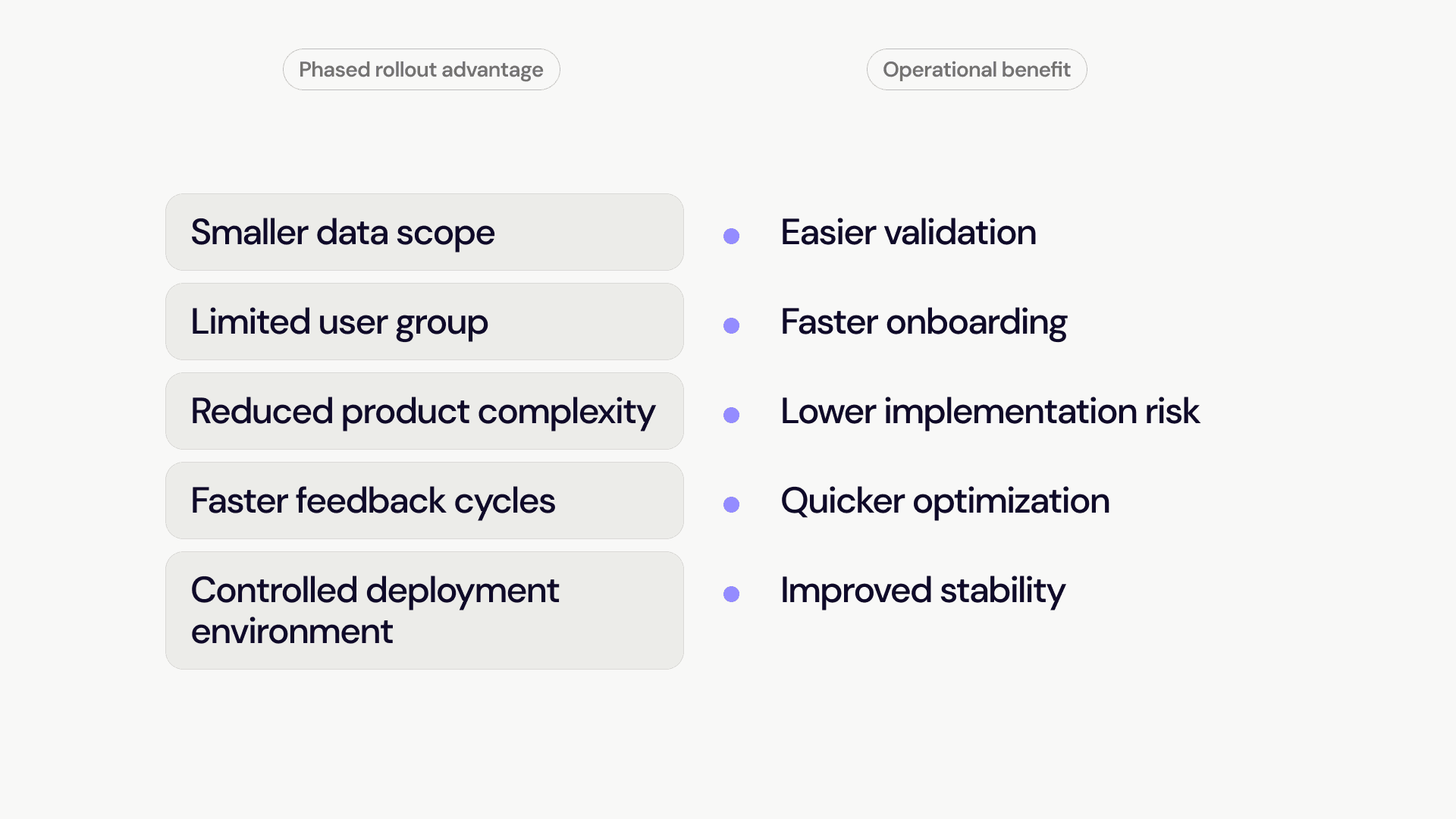
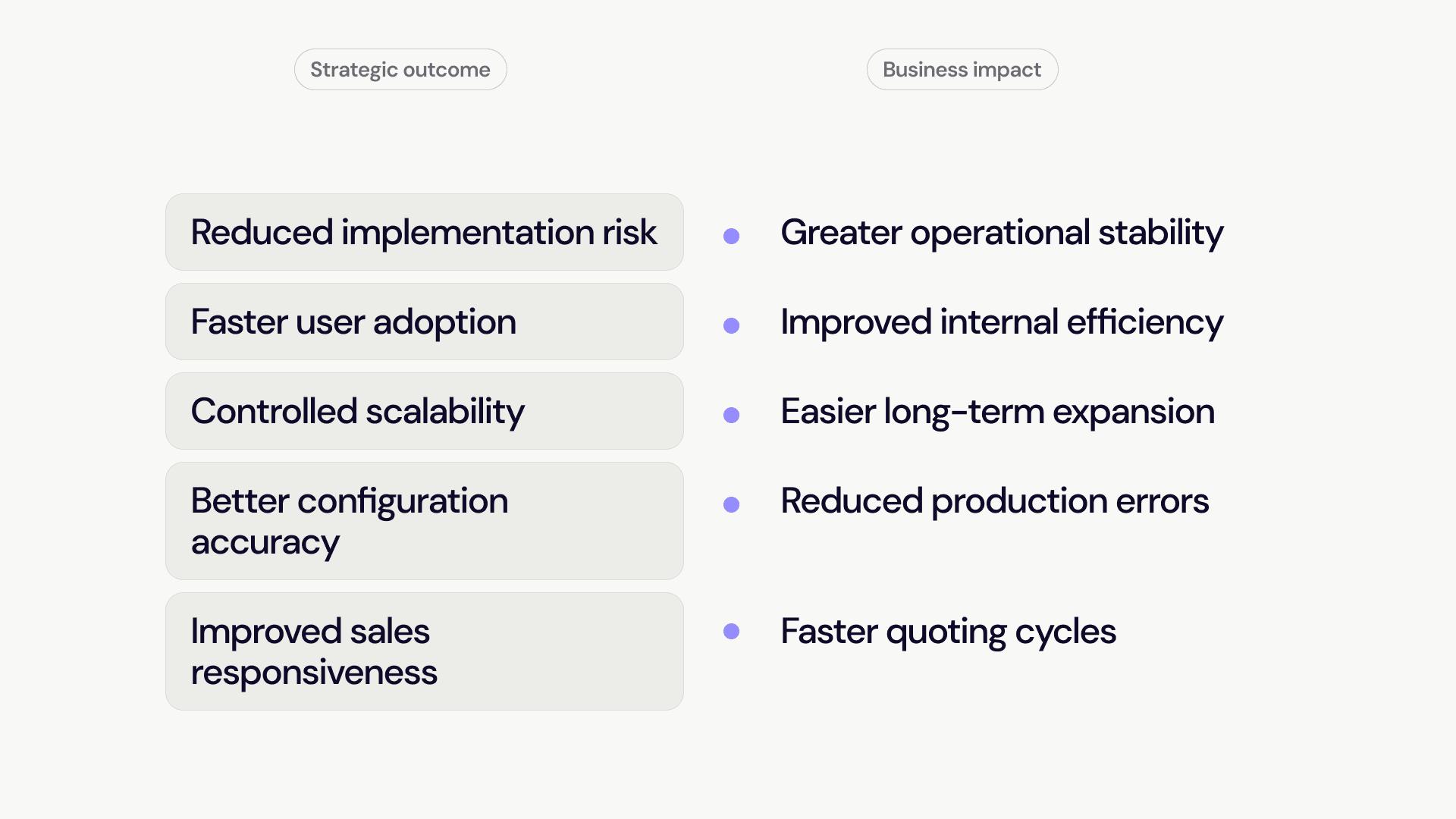
Manufacturers increasingly recognize that digital transformation does not require operational disruption. Modern visual CPQ software supports phased implementation strategies that reduce deployment risk while improving configuration accuracy, sales efficiency, and operational scalability.
Organizations adopting gradual rollout models benefit from:
Conclusion
Implementing visual CPQ software no longer requires large-scale operational disruption or full infrastructure replacement. Manufacturers can reduce implementation risk significantly through phased deployment, controlled integration strategies, and gradual process optimization.
The most successful CPQ projects prioritize operational continuity, scalable architecture, and long-term maintainability rather than rapid system replacement. For companies managing configurable products, low-risk automation is increasingly becoming the preferred path toward scalable digital transformation.