Building an Intuitive Product Configurator for Non-Technical Industrial Buyers

B2B buyers have changed, but manufacturing software hasn’t kept up.
Today’s procurement managers, facility leads, and purchasing agents don't want to decipher dense engineering schematics, look up cryptic part codes, or jump on a 30-minute call just to get a baseline price. They are used to smooth, intuitive consumer e-commerce experiences. Yet, when they try to buy complex industrial goods online, they are faced with interfaces that look like they were built for mechanical engineers.
When non-technical buyers hit a wall of technical jargon, they do one of two things: they abandon your site for a competitor with an easier interface, or they flood your customer support team with basic questions.
To bridge this gap, manufacturers are deploying intuitive web configurators that translate complex mechanical rules into visual, user-friendly choices. Here is how to engineer a zero-friction purchasing experience that lets anyone buy complex industrial equipment with absolute confidence.
The UX translation layer: engineering language vs. buyer logic
The biggest mistake in product configurator design is exposing your internal database structures directly to the customer. A user-friendly interface acts as a translator, turning manufacturing constraints into functional benefits.
An intuitive B2B configurator
To make a highly technical product easy for an absolute beginner to configure, the web application must rely on specific interface behaviors:
1/ STEP-BY-STEP GUIDED FLOW: Use case ➔ Environment ➔ Size
2/ VISUAL INTERACTION LAYER
3/ LIVE COMPONENT FEEDBACK
3D rendering canvas
Dynamic 2D/3D highlight
Click-to-snap parts
Tooltips for jargon
Real-time scale
Clear, validated pricing
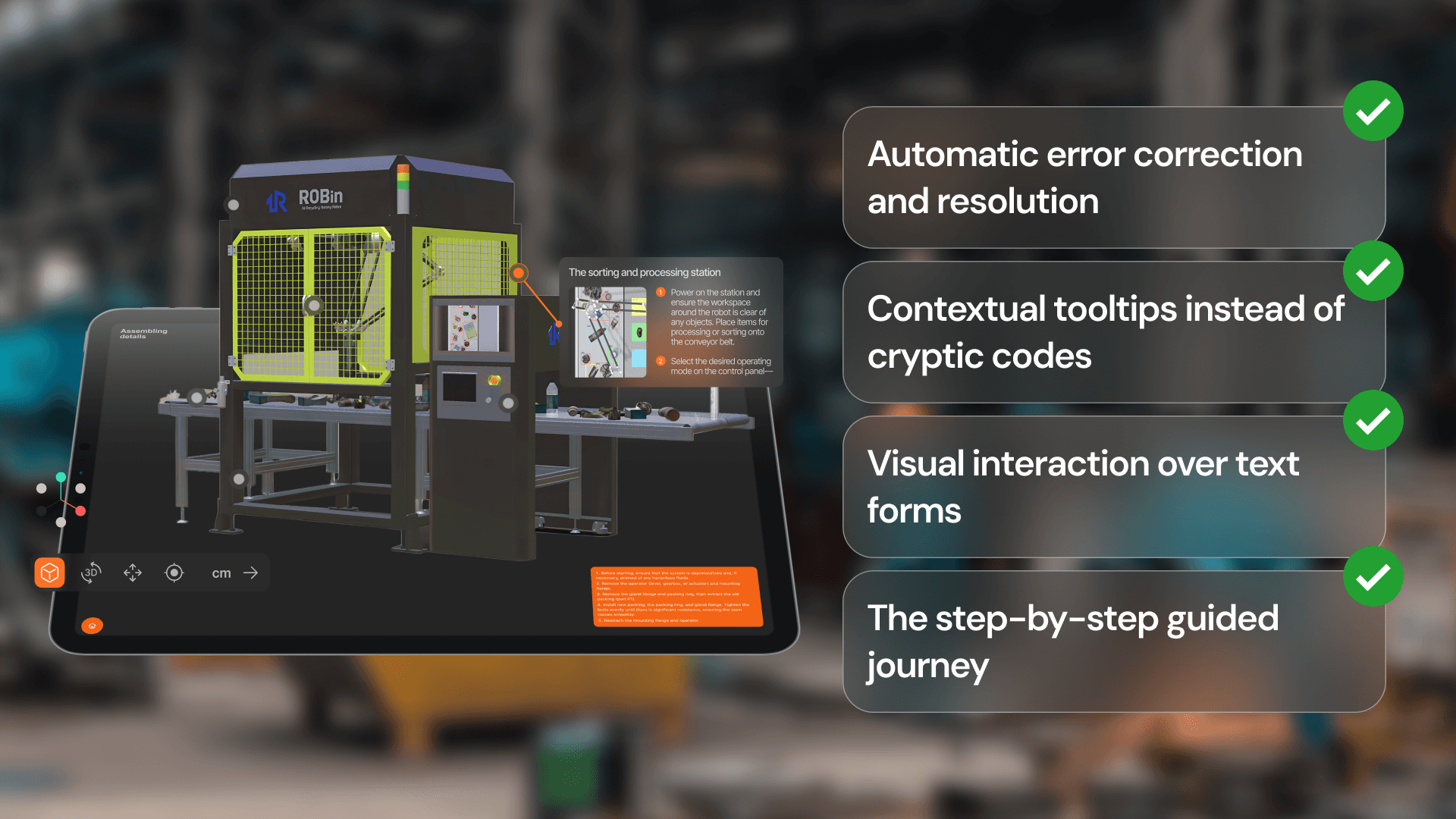
1. The step-by-step guided journey
Never overwhelm a buyer with 40 dropdown menus on a single screen. Break the configuration down into a logical progression based on application rather than part numbers. Start with broad questions like "Where will this equipment be installed?" or "What is your target load capacity?". Use their initial answers to filter and automatically pre-select correct secondary components behind the scenes.
2. Visual interaction over text forms
Non-technical buyers might not know what a "flange mount" or a "reinforcing gusset" looks like by name, but they can recognize them visually. By utilizing an interactive 3D rendering canvas, users can simply click directly on the product to swap parts, drag dimensions to fit, or change structural layouts. Visualizing changes in real time removes the fear of ordering the wrong thing.
3. Contextual tooltips instead of cryptic codes
When technical terms are mandatory, pair them with inline explanations. Hovering over a specification option should reveal a plain-language tooltip (e.g., explaining that an IP67 rating means the unit is fully dust-proof and waterproof for outdoor installations).
4. Automatic error correction and resolution
Traditional software lets users make an invalid selection and then slaps them with an error message at checkout. A zero-friction configurator uses active constraints. If a buyer selects an option that is incompatible with their previous choice, the system handles it gracefully:
System response: "You selected Material X, which requires Support Bracket Y. We have automatically updated your components to ensure structural integrity."
Turning complex tech into a competitive edge
By masking your dense engineering logic behind an elegant, visual user interface, you remove the anxiety that stalls B2B purchasing cycles.
Non-technical industrial buyers will always choose the path of least resistance. When you provide a self-service 3D platform that makes it impossible for them to build an incorrect order, you eliminate the need for lengthy sales consultations, dramatically shorten your quoting timeline, and unlock a massive pipeline of high-margin online revenue.