Fully integrated with your stack: Shopify, Salesforce CPQ, Odoo, SAP, CRM, ERP…
Buyers understand and save the configuration. The CPQ logic generates quotes from your pricing rules. Sales and dealers receive the build context they need. Production receives specs and prepared outputs — without rebuilding the request by hand.
The problem we solve
RV sales should not break between the website, dealer conversation, quote, and production
Before
After
Buyer experience
Sales & dealers
Quote speed
Build accuracy
Production handoff
RV buyers may come from YouTube, shows, referrals, dealers, ads, Instagram, forums, or word of mouth. Before they call, visit a showroom, or ask for a quote, they usually check your site.
If the site does not help them understand the model, build their version, save it, and pass it forward, some visitors leave before sales ever gets a chance to talk to them. The ones who do reach out often create extra work later: repeated questions, slow quotes, weak inquiries, and manual re-entry.
More traffic does not help if buyers leave confused.
More leads do not help if sales has to rebuild every request by hand.
Reasons for friction for buyers
Unclear options
Product page
No saved build
During configuration
Repeated questions
After the inquiry
Manual quote rebuild
During quote preparation
Missing dealer context
At dealer handoff
Production clarification
Before production
How it works
The configurator carries the buyer from product interest to quote-ready build
Buyer understands the product
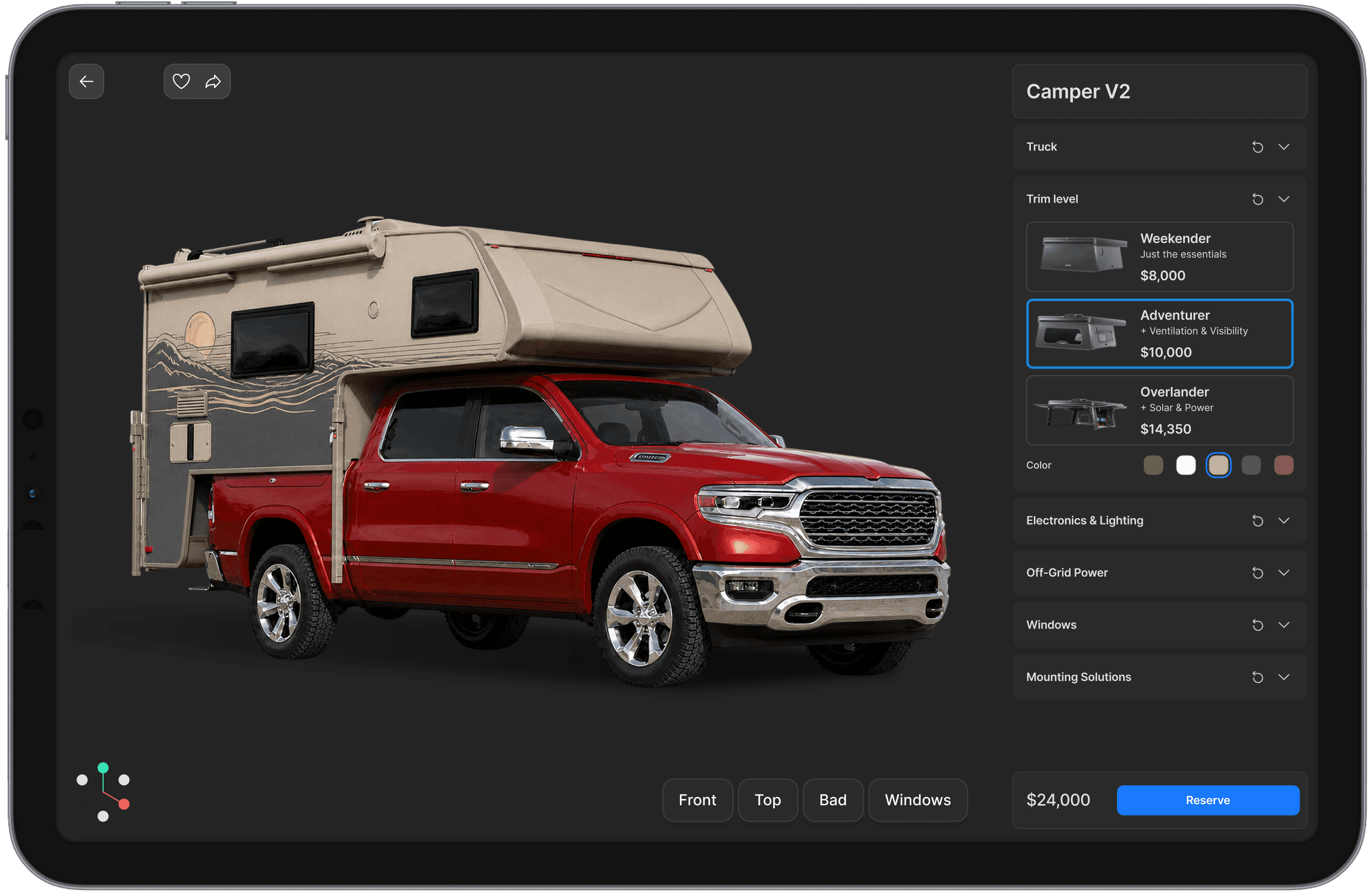
The configurator helps the buyer compare models, start from a useful package, see the camper build, and understand how options affect fit, comfort, payload, lead time, and price.
Buyer creates and saves a build
The buyer selects a model, package, options, truck details, notes, and next step. The result is a saved build, not a vague “I’m interested” form.
Product rules check the configuration
The system applies fitment, compatibility, required packages, mutually exclusive options, dealer-installed items, review flags, and other rules before the build moves forward.
Pricing logic generates quote and estimate
The build uses your pricing logic to generate an instant quote, estimate, price range, dealer-specific quote, or sales-review request — depending on how your business sells.
Sales and dealers receive a qualified lead
Sales, dealers, showrooms, or installers receive the same build context: selected model, truck details, options, quote data, buyer notes, review flags, and next step.
Production receives prepared outputs
Once the build is approved, the same data can become specs, quote summaries, internal build sheets, BOM-like summaries, CSV/JSON exports, or other production-ready outputs.
Your site should not only attract RV buyers. It should help them understand the product, save a build, request a quote, or start a dealer conversation. When sales receives the model, package, options, truck details, questions, and intent — not just a name and phone number — every conversation starts closer to quote.
Buyer confidence
Buyers choose the right camper build with less confusion
The configurator shows buyers how each model, package, and option changes the camper they are considering: fit, payload, comfort, autonomy, lead time, and price.
See the actual build
Buyers see the model, layout, materials, colors, packages, and visible options they are considering.
Start from preconfigured builds
Buyers start with a proven setup instead of a blank option list, then adjust the build to their needs.
Understand option impact
Payload, comfort, autonomy, storage, lead time, price, and review-needed
Reach sales prepared
The first conversation starts from a build, not a general interest in the product.
Buyer readiness
Every serious buyer gets the right next step
The configurator routes each level of intent into a useful next step instead of forcing every buyer into the same CTA.
Save Build
For buyers who want to keep the configuration and return later.
Generate Estimate / Request Quote
For buyers who need price clarity before the next conversation.
Talk to Sales
For buyers who want help before committing.
Send to Dealer
For dealer-led sales where the next conversation happens outside the website.
Place Deposit
For buyers ready to reserve a spot or confirm intent.
Buy Through Cart
For builds that can be purchased online without sales review or manual fitment checks.
Saved build & handoff
Sales and dealers start with the buyer’s saved build
A saved build gives the buyer something to return to, share, send to a dealer, or use in a sales conversation.
Sales and dealers receive the selected model, truck details, package, options, notes, review flags, and next step. They continue from what the buyer already chose instead of starting a blank discovery call.
Saved build can include
selected model;
truck / vehicle details;
bed size and fitment;
payload or review-needed notes;
layout, package, options;
materials and colors;
dealer-installed vs factory-installed items;
buyer notes and open questions;
preferred dealer, showroom, installer, or location;
share link, email summary, or PDF.
Product logic
Product updates stay consistent across the website, sales, dealers, and production
The configurator gives the business a managed logic layer for models, packages, options, prices, availability, SKUs, dependencies, and rules.
With clear ownership, the same update flows into the buyer experience, sales materials, dealer tools, quotes, and production outputs. A price, package, or option change does not have to be corrected manually in every place.
The configurator works with the processes your team already trusts and replaces the parts that slow them down. Existing ERP, PIM, CMS, Shopify, or spreadsheet workflows can stay in place, while models, prices, rules, quotes, and production data move through the buyer, sales, order, and production flow with fewer manual handoffs.
Models
Layouts
Packages
Options
Accessories
Pricing
Compatibility
Required Options
Dealer Visibility
Regional Differences
Visuals
Descriptions
Availability
SKUs
Variants
Review Flags
Quote-ready builds
Each build is ready to choose, quote, and use downstream
Each configuration carries the rules needed to move safely through the process: fitment, payload, required packages, incompatible options, dealer-installed items, price logic, review flags, and production constraints.
Buyer can choose it
Available layouts, compatible options, required packages, and review-needed items are visible during configuration.
Sales can quote it
Sales or dealers generate a quote, estimate, range, proposal, or review request without rebuilding the configuration manually.
Operations can use it
Approved builds move forward as structured outputs, not screenshots or notes.
Output examples
Customer PDF
Quote summary
CRM record
CSV export
JSON payload
Internal build sheet
BOM-like summary
Production spec
API handoff
Who it’s for
Core capabilities
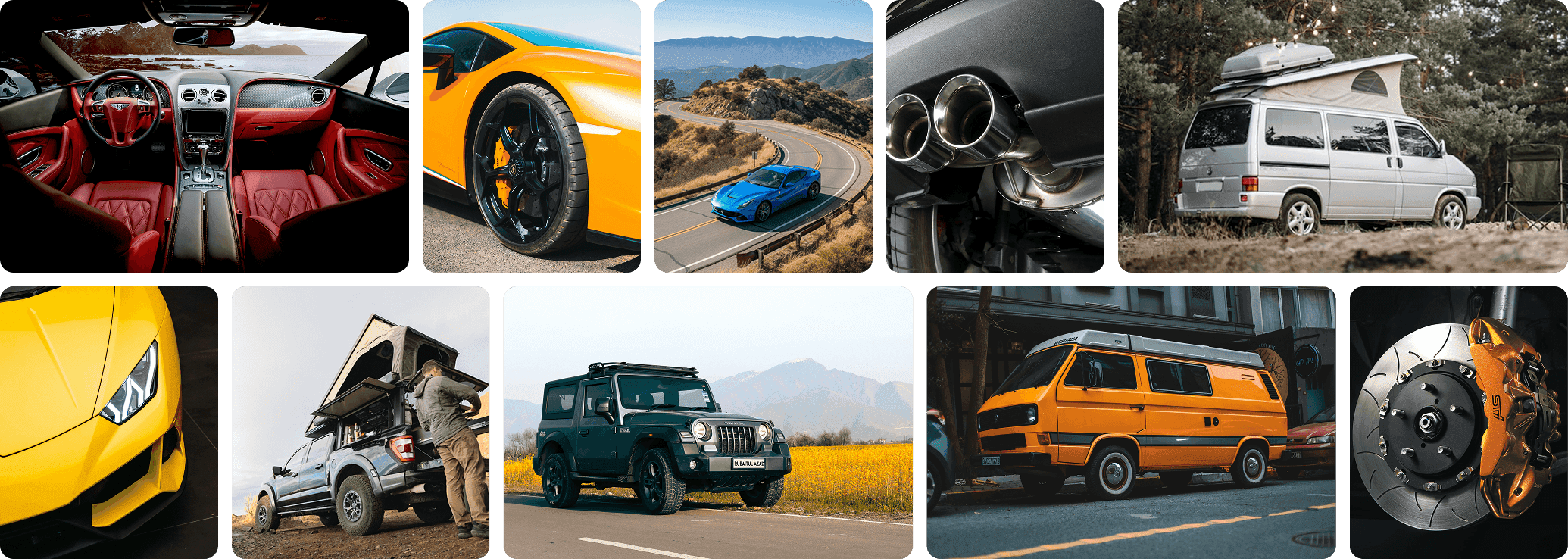
Interactive 3D configurator
Visualizes full vehicles or components in real-time, supports trim, color, accessory, and functional options
Smart CPQ engine
Applies complex configuration rules, technical dependencies, compatibility constraints, and pricing logic
AR visualization (optional)
Lets users preview vehicles, upgrades, or parts in their real environment (e.g., wheels or wraps in AR)
Modular BOM & product variants
Handles nested configurations (e.g., drivetrain → wheelbase → suspension options) with full variant logic
Multi-channel UX
Works in dealer portals, manufacturer sites, mobile apps, kiosks, or B2B quote platforms
Production-ready data output
Generates clean configuration data for PLM, CAD, ERP, or MES systems
Localization support
Region-specific logic for regulations, parts, pricing, or language
Mobile-optimized UI
Responsive and interactive experience across devices, including touchscreens in dealer settings
Analytics-ready
Tracks most selected configurations, dealer performance, and end-user engagement
AI recommendation engine (optional)
Suggests packages, compatible upgrades, or regional bestsellers based on user flow or SKU logic
AI-assisted configuration logic (optional)
Validates and guides toward optimal builds, minimizing invalid combinations in technical product structures
Smart foundations for technical sales and production
Built for technical accuracy
Supports rules-intensive rule-heavy product lines with deep compatibility logic
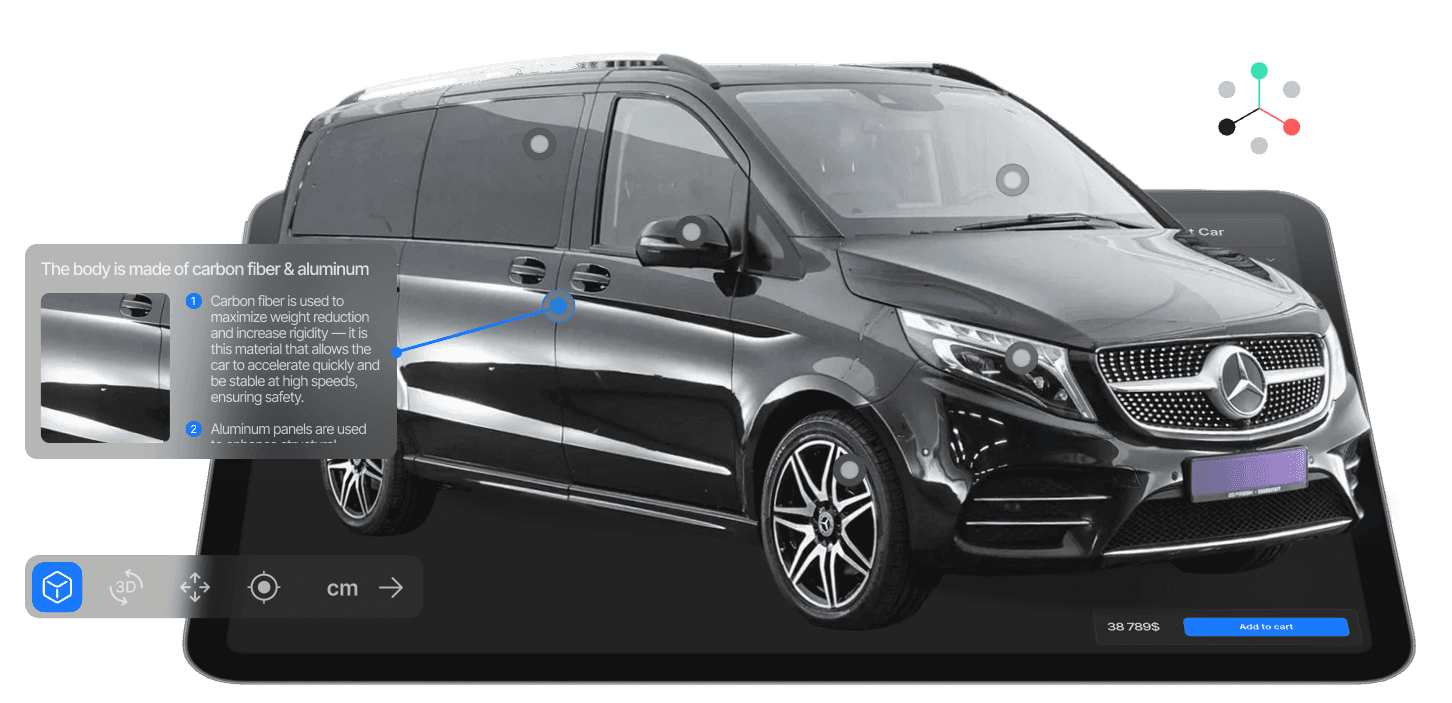
3D clarity across components
Allows end-users and internal teams to visualize final outcome what they’re selecting, improving confidence and reducing errors
Multi-tier configuration flows
Manages Handles simple D2C use cases as well as complex, ready-to-build engineered-to-order solutions
Ready for manufacturing
Full support for BOM, variant mapping, and ERP/PLM integration
Business impact
Quote time reduction
Quoting cycles cut from days/weeks to minutes via CPQ automation
Conversion lift
Higher engagement and revenue from visual configurators
Return rate / build error drop
Reduced misconfigurations through enforceable rule logic
Time-to-market
Faster launch of trims and regional variants
Sales & service efficiency
Guided sales enablement, fewer pricing errors, higher upsells
Built for our clients

Club No 1
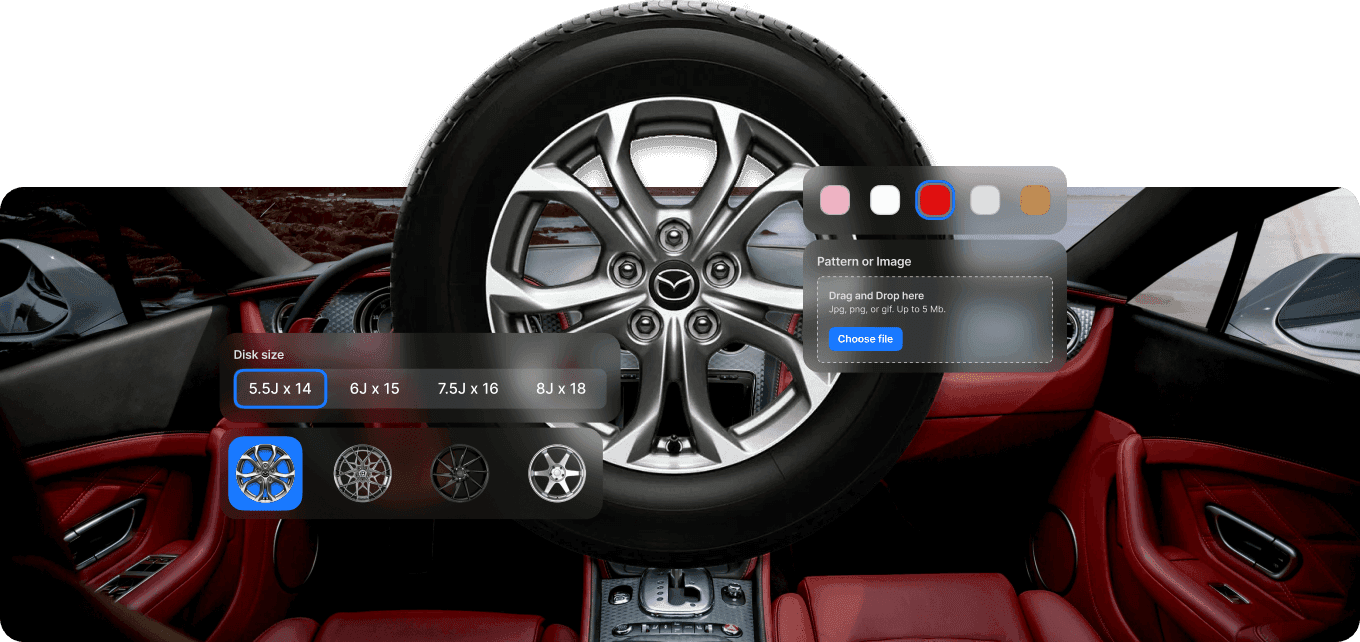
A real-time 3D tool that enables lets users to personalize vehicle interiors, including materials, trim combinations, and dashboard finishes, pand other interior elements with precise, high-fidelity previews.roviding a precise preview of design choices
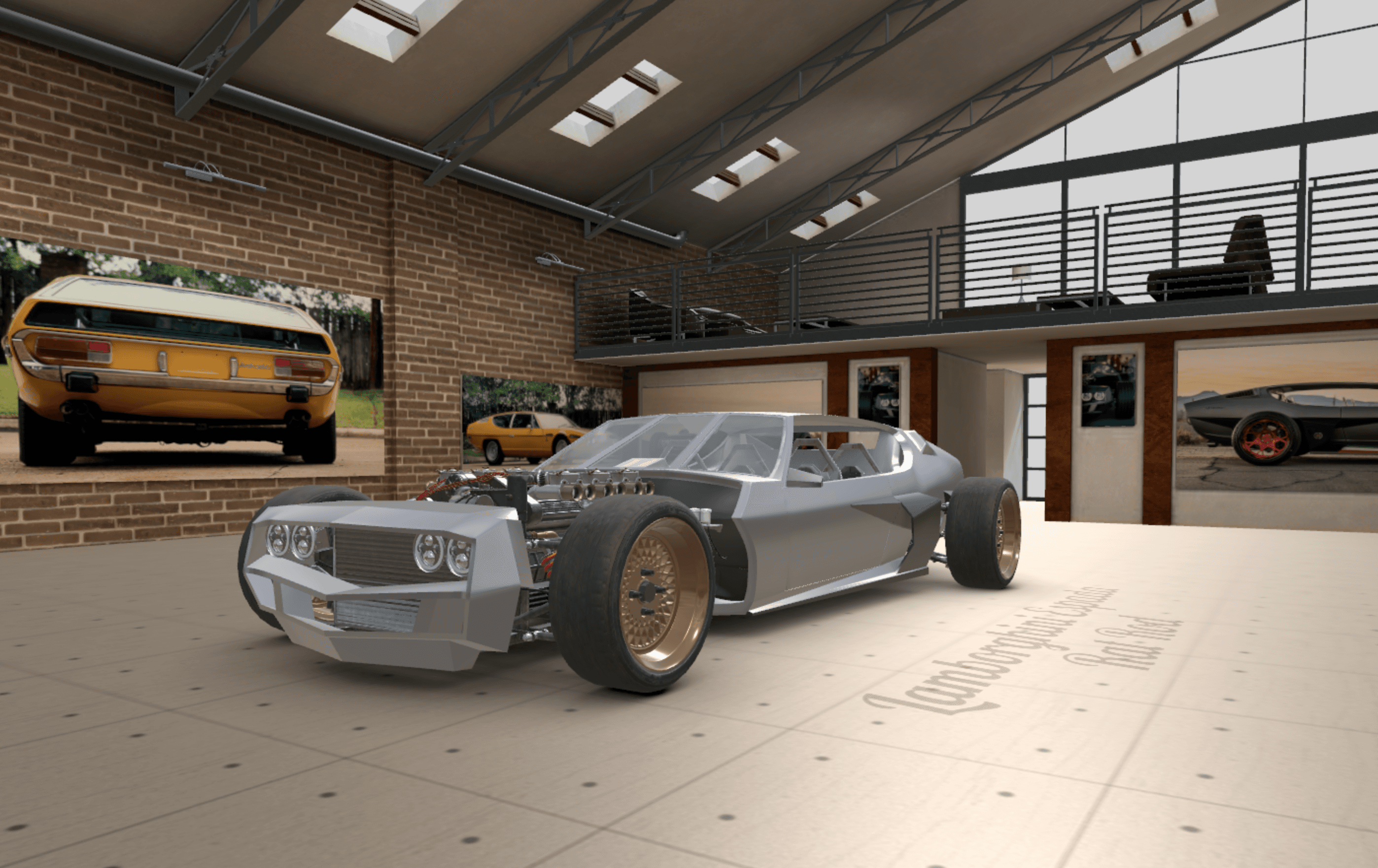
Rat Rod
A fully interactive 3D configurator for a custom-built hot rod, allowing users to select and visualize unique body styles, wheels, and components, with complete design freedom and visual feedback
Why choose 3DT
Supports both consumer and engineered-to-order workflows
One platform for OEMs, dealers, and industrial suppliers
Deep logic engine behind visual UI
Combines technical accuracy while maintaining an intuitive customer experience
Fully modular architecture
Launch per product line, market, or dealer network
Production-aligned and scalable
Designed to grow across regions, channels and technical stacks
Create, configure, and deliver with one integrated automotive solution
3DT Automotive gives OEMs and aftermarket brands a clear way to manage complex product lines and present them to customers with precision. Your teams move faster, avoid errors, and deliver configurations that align seamlessly with real production.
Let’s discuss how 3DT Automotive can support your sales and engineering workflow.
3D configuration and CPQ for vehicles, components, and automotive systems
Full offer inside — capabilities, impact, and use cases
Contact us