3D Web vs Native Apps: Where Should Your Product Configurator Live?
The interface shapes the entire configuration experience
Choosing where a product configurator should live – inside the browser or inside a native app – isn’t a cosmetic decision. It defines how the system will perform, how often it can evolve, how easily users adopt it, and how deeply it integrates into sales and engineering workflows.
3D used to be a marketing tool, but when it evolved and moved to the operational core as 3D product configuration and CPQ, the delivery layer started to play a role more than ever. A configurator is a dynamic visualization tool; it is a decision engine tied to rules, pricing, variants, and production data. That engine needs a stable, scalable environment capable of handling real-time rendering, product logic, and multi-system communication.
In this article we will examine the tradeoffs between browser-based 3D configurators and native applications, focusing on the factors that actually influence long-term success: performance ceilings, maintenance cycles, integration depth, analytics, and production alignment. The goal is not to crown a universal winner, but to present a clear framework for choosing the environment that fits their technical and operational reality.
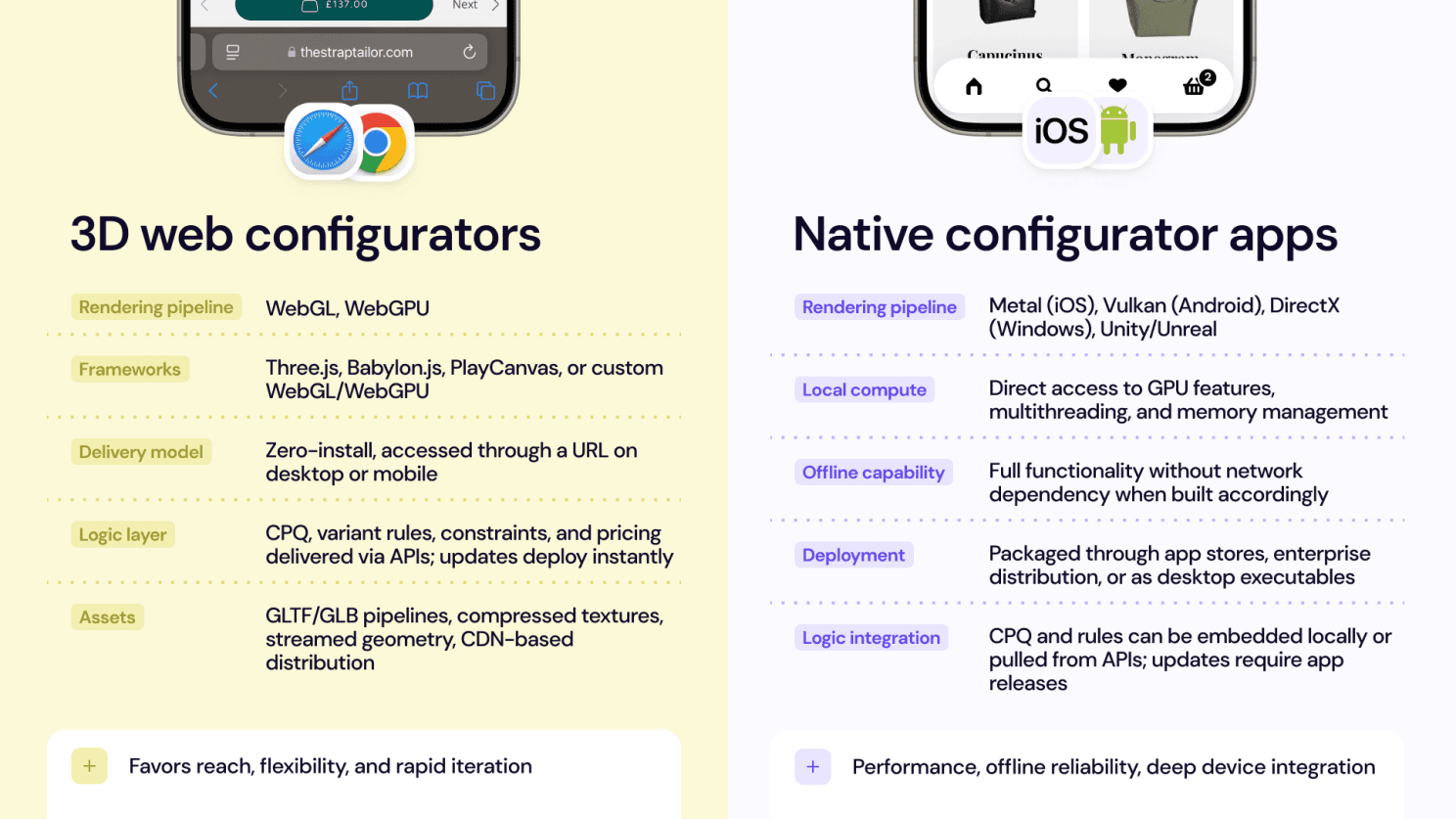
Defining both environments
Before comparing performance, scalability, or integration depth, it’s important to clarify what “3D Web” and “native app” actually mean in a modern product-configuration context.
Performance fundamentals: Rendering, resources, and constraints
Performance is often the first consideration when choosing between a Web configurator and a native application. Both environments can deliver high-quality 3D, but their architectures influence how models load, how fast scenes respond, and how easily the system evolves.
Rendering pipelines
Web: Modern WebGL, supported by every major browser and device, provides a mature, reliable base for real-time 3D. With WebGPU entering production, the performance gap between Web and native continues to narrow, giving browser environments access to more advanced compute, improved shader pipelines, and higher rendering ceilings.
Widely compatible across devices
No installation or app-store process
WebGPU opening doors to more complex scenes and materials
For most configurator use cases such as vehicles, interiors, furniture, industrial equipment, Web rendering is more than sufficient.
Native: Native apps offer deeper access to system-level graphics APIs, which allows highly specialized visual effects and complex real-time simulation when the product demands it. Native shines in scenarios requiring intensive physics, large indoor/outdoor environments, or bespoke visual pipelines.
Its strength is depth rather than reach.
Asset management
Web: Because Web environments are optimized for fast load times, asset pipelines rely on modern compression and streaming:
GLTF/GLB with KTX2 and BasisU
Draco mesh compression
Cloud/CDN delivery
Progressive loading for large assemblies
Native: Native apps can package heavier assets locally, which can support extremely high-resolution textures or large model libraries. This is useful in environments that prioritize maximum fidelity over distribution speed
Real-time interactions: Most product configurators rely on controlled interactions like rotations, exploded views, animations, material changes, and functional demonstrations, which is reliably handled by the web, especially with WebGPU. Native still offers advantages in high-end simulation (e.g., complex physics or cinematic lighting), but such scenarios are not the norm for commercial configurators.
Memory and device constraints: Browsers enforce memory constraints for stability. In practice, well-optimized WebGL/WebGPU solutions run consistently across modern devices without hitting these ceilings. Native apps have more flexibility, but that comes with larger downloads and heavier maintenance.
Integration as the backbone of a configurator’s success
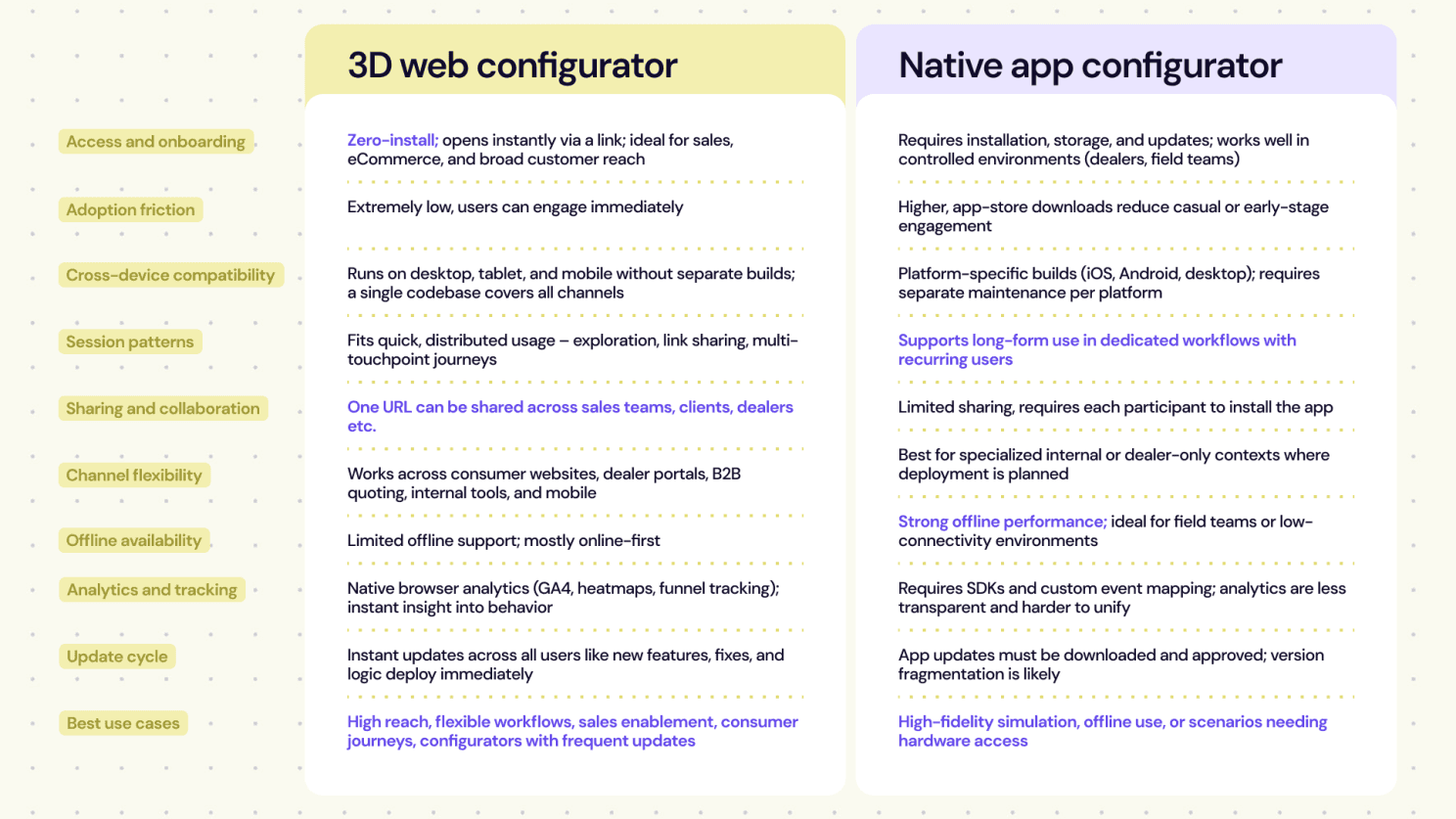
A configurator delivers actual business value only when it thoroughly integrates with CPQ logic, engineering systems, and the data pipelines that evolve with product lines. Web architectures are well suited to this environment, because they connect directly to backend APIs, keeping pricing, rules, and compatibility constraints synchronized in real time. They also integrate with PLM, ERP, PIM, and CAD systems through server-to-server communication to get the latest engineering updates into the configuration UI. Browser-native analytics provide immediate insight into customer and dealer behavior, how configurations are explored and where users hesitate or convert.
Security and access control are extended across dealer portals, B2B quoting tools, and internal sales platforms, because a single authentication model can serve every channel. Native applications can match much of this functionality, but they need synchronization layers and additional effort to keep alignment along local logic, assets, and data.
Maintenance needs define the total cost of ownership
Once a configurator moves from development into everyday use, its real cost lies in how easily (or not) it can be maintained. Most of the work shifts toward updating product data, refining logic, adding new variants, and keeping the interface aligned with a company’s evolving catalog. The environment behind the configurator determines how smoothly these changes can happen and how much operational weight the team must carry over the system’s lifetime. Web-based configurators offer a clear advantage here: every update is deployed once and appears everywhere instantly. There are no app-store queues, no user-side updates, and no competing versions in circulation. For companies releasing products frequently or adjusting CPQ rules across markets, this creates a rhythm of continuous iteration that fits the pace of modern digital commerce. Native apps can achieve the same feature depth, but each change requires a new build and redistribution.
The Web also accelerates iteration itself. Teams can run A/B tests, introduce feature toggles, adjust UI elements, or refine configuration logic without interrupting users. Native environments support iteration too, yet release cycles must be planned, tested across OS versions, and synchronized. Multi-platform complexity amplifies this difference. A single Web app covers all browsers and devices from one codebase, while native apps multiply the work across iOS, Android, and desktop builds, each with its own developers, QA, and long-term maintenance.
Asset evolution follows the same pattern. When new products or product variants enter the catalog, 3D models, materials, and textures will require updates. Web architectures can distribute easily through CDNs so new assets appear immediately. Native apps allow heavier assets but require repackaging and redeployment. All of this shapes operational overhead. Web configurators benefit from centralized hosting, cloud scalability, and unified monitoring, creating a single system to maintain and improve. Native apps demand separate monitoring, crash reporting, and deployment pipelines for every platform, which compounds cost and complexity over time.
The scalability question: How far can your configurator go?
Scalability and long-term flexibility determine how well a configurator can support a business that continues to grow, diversify, and enter new digital channels. Product lines and regional logic expand, and ecosystems become intertwined, and the platform behind the configurator must adapt. Web architectures scale naturally in this direction, allowing entire product categories or market variations to be introduced through the backend updates. Advances like WebGPU, WebAssembly, and modern GLTF pipelines make the browser a high-performance environment capable of handling higher complexity of real-time experiences with efficiency.
Native apps can handle similar growth, but the evolution depends on platform distribution cycles that slow expansion at scale. Native tools still excel when deep hardware access or custom rendering pipelines are required, but these needs cover a shrinking portion of commercial configuration workflows.
Choosing the environment that supports your product strategy
There is no single correct home for every configurator, but the patterns across industries are clear. Most commercial configuration workflows benefit from the Web: a single codebase, instant deployment, integration through APIs, built-in analytics, and the ability to scale across markets and channels.
Native applications hold value in specialized scenarios such as offline use, controlled internal deployments, and cases requiring custom rendering or advanced simulation. While these needs exist, they represent a small share of real-world configuration challenges compared to the broad demand for reach, flexibility, and rapid iteration.
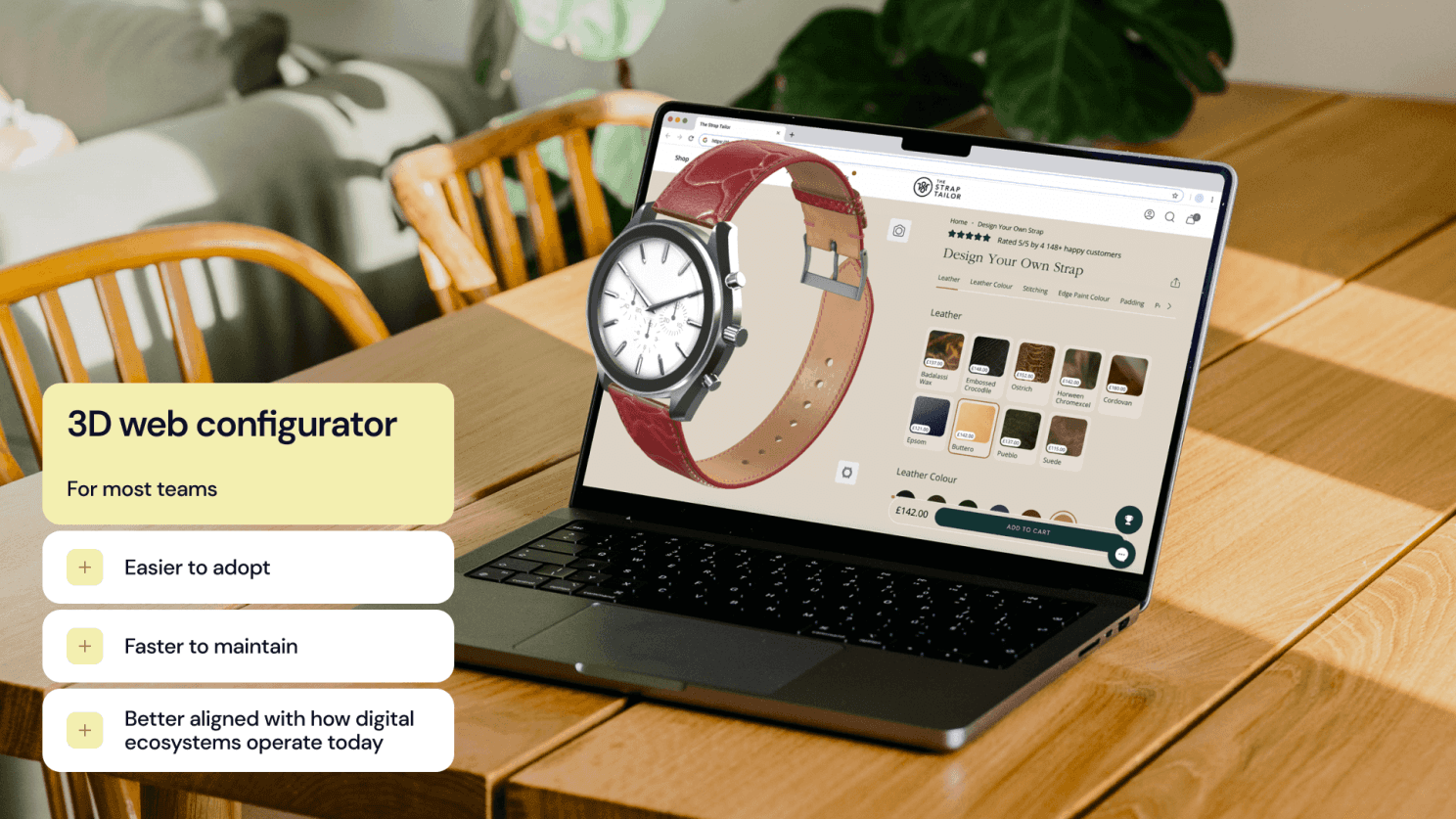
For most teams building or modernizing a configurator, the Web provides the most sustainable long-term path: easier to adopt, faster to maintain, and better aligned with how digital ecosystems operate today.
If you’re exploring where your next configurator should live, or planning a transition toward a unified Web3D pipeline, we can help you define the right architecture for your product and workflow.